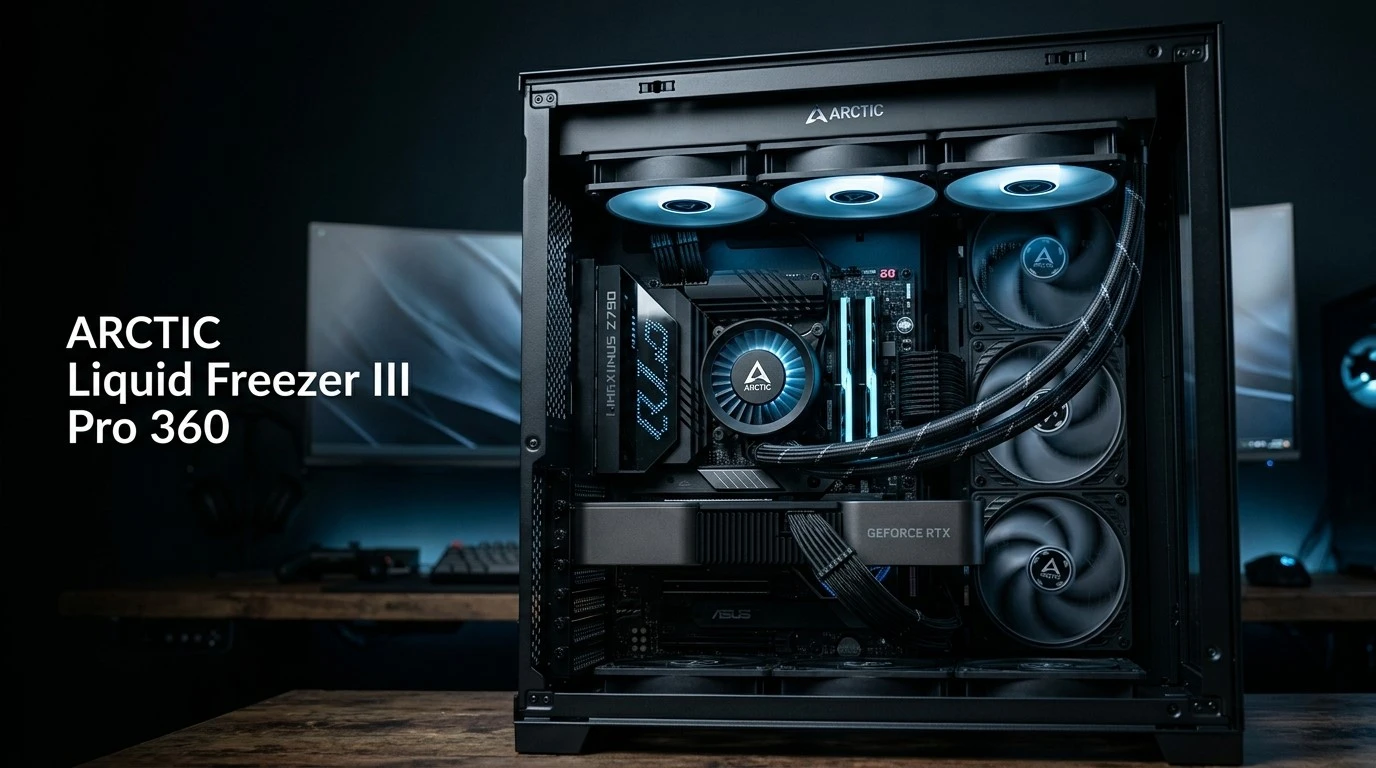
The ARCTIC Liquid Freezer III Pro 360 is a high-performance 360mm all-in-one CPU liquid cooler designed for users who want strong thermal performance without moving into extremely expensive enthusiast cooling solutions. It combines a thick 38mm radiator, three high-speed P12 Pro fans, an integrated VRM fan, an offset mounting system, and a copper micro-skived cold plate to handle demanding modern processors.
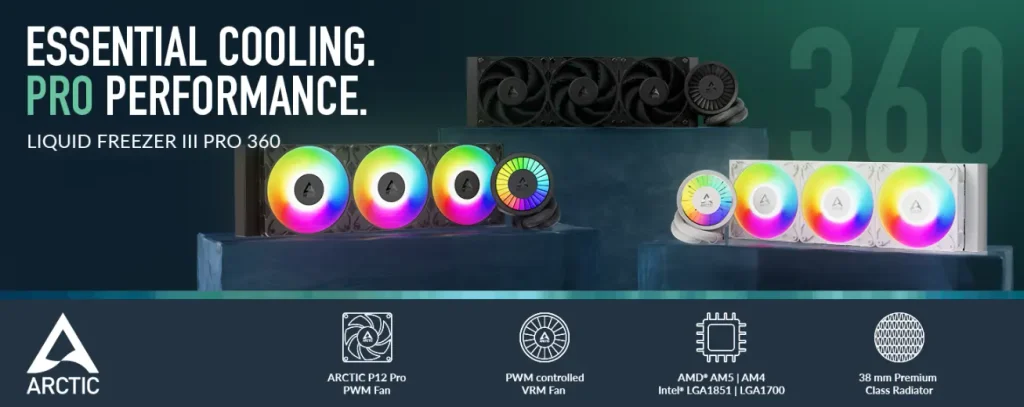
Unlike many conventional AIO coolers, ARCTIC focuses heavily on practical thermal engineering rather than adding a large LCD screen or excessive lighting. The Pro 360 is available in a standard black version as well as A-RGB variants, giving builders the choice between a clean workstation appearance and a more visually aggressive gaming setup.
The cooler supports AMD AM4 and AM5 as well as Intel LGA1700 and LGA1851 platforms. It also includes MX-6 thermal paste and a six-year warranty. ARCTIC lists the standard Liquid Freezer III Pro 360 at a $99.98 US MSRP before VAT and shipping, although actual retail pricing can vary.
In this ARCTIC Liquid Freezer III Pro 360 review, we’ll look at its design, specifications, installation experience, cooling performance, noise behavior, safety features, long-term reliability, and whether a 360mm AIO makes sense for your particular PC build.
Why It Matters to You
Your CPU cooler directly affects temperatures, sustained boost behavior, noise levels, and the amount of thermal headroom available to your processor. This becomes particularly important with modern high-performance CPUs that can consume substantial power during rendering, compiling, gaming, AI workloads, and other sustained tasks.
The ARCTIC Liquid Freezer III Pro 360 targets exactly this type of system.
Its biggest advantage is the combination of a 38mm-thick radiator and three P12 Pro fans. The radiator is thicker than the 27mm design commonly found on many mainstream 360mm AIOs, while the P12 Pro fans can reach up to 3000 RPM and provide strong airflow and static pressure.
Another interesting feature is the integrated VRM fan. Rather than cooling only the CPU socket area, the pump/block assembly also pushes air across the motherboard’s voltage-regulation area.
For Intel users, ARCTIC also includes a contact frame designed to improve mounting pressure distribution. The Pro series uses offset mounting to position the cooler’s cold plate more effectively over the CPU’s thermal hotspot. Independent testing has found the Pro 360 capable of delivering very strong normalized cooling performance.
That makes the cooler particularly relevant if you’re building a powerful gaming PC, workstation, content-creation system, or productivity machine.
In-Depth Review of ARCTIC Liquid Freezer III Pro 360
The ARCTIC Liquid Freezer III Pro 360 takes a performance-first approach to AIO cooling. Instead of relying on an elaborate pump display or unnecessary electronics, most of the product’s engineering effort goes toward heat transfer and airflow.
Cooling Block and Pump
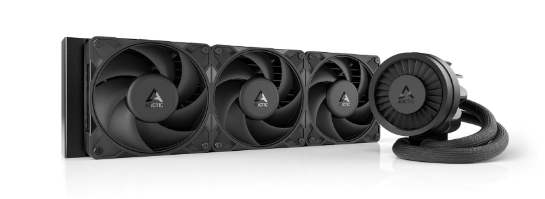
The CPU block uses a copper cold plate with micro-skived fins. The pump operates from 800 to 2800 RPM and is controlled through PWM. This provides a wide operating range, allowing users to configure a quieter profile for everyday workloads or increase pump speed when the CPU is under sustained load.
The block also houses the integrated VRM fan. It operates between 400 and 2500 RPM, allowing it to provide additional airflow around the motherboard’s VRM area.
The result is a distinctive pump design that looks different from many conventional AIO blocks.
Offset Mounting
One of the most important features is ARCTIC’s offset mounting system.
Modern CPUs don’t necessarily generate their highest heat directly in the geometric center of the package. ARCTIC shifts the cold plate position to better align with the processor’s hotspot.
On AMD platforms, the offset mounting is specifically designed around the location of the CPU hotspot. The cooler also uses an Intel contact frame with its compatible Intel platforms.
This is one of the reasons the Liquid Freezer III Pro series can achieve strong thermal results despite using a 360mm radiator rather than the larger 420mm format.
38mm Radiator
The radiator measures 398 × 120 × 38mm. The 38mm thickness is an important part of the design because it provides additional radiator volume compared with conventional 27mm-thick AIO radiators.
However, this also means case compatibility deserves extra attention.
A 360mm radiator already requires considerable chassis space, and the Liquid Freezer III Pro’s thicker radiator increases the installation requirements further. ARCTIC recommends at least 63mm of clearance for installation.
Before buying, check your case’s radiator support rather than assuming that any case advertised as supporting a 360mm radiator will provide enough clearance.
P12 Pro Fans
The cooler includes three P12 Pro fans.
They operate between 600 and 3000 RPM, with ARCTIC specifying up to 77 CFM / 131 m³/h of airflow and up to 6.9 mmH₂O static pressure. The fans use fluid dynamic bearings.
These specifications explain why the cooler can move a significant amount of air through its relatively thick radiator.
At moderate speeds, the fans can remain reasonably controlled. At maximum speed, however, the cooler becomes substantially louder. PC Gamer measured approximately 52 dBA at 40cm with the fans at 100% on the A-RGB version, illustrating the trade-off between maximum cooling and acoustic comfort.
Therefore, users who want a quiet PC should create a sensible fan curve instead of simply running the P12 Pro fans at maximum RPM.
Cable Management
Cable management is another area where the Pro 360 is thoughtfully designed.
Fan wiring is integrated into the sleeving, helping reduce the number of loose cables around the radiator and motherboard. The cooler offers both an all-in-one PWM connection and a split configuration for independent control of the pump, VRM fan, and radiator fans.
The all-in-one cable is particularly useful for builders who want a simple setup.
Those who want more control can use the separate connections and tune the pump, VRM fan, and radiator fans individually.
Installation Experience
Installation is not quite as simple as installing a basic air cooler.
On AMD systems, the standard mounting hardware needs to be replaced with ARCTIC’s supplied mounting hardware. On Intel platforms, installation can require more preparation because of the included contact frame. Hardware Busters noted that the Intel installation is more involved than the AMD installation.
The positive side is that the fans arrive pre-installed on the radiator, reducing assembly work.
ARCTIC also provides detailed installation documentation, including guidance for PWM configuration and radiator orientation.
For a first-time AIO builder, it may take longer than installing a traditional tower cooler, but the process becomes straightforward once the mounting system is understood.
Specifications Table
The following table summarizes the most important specifications of the standard ARCTIC Liquid Freezer III Pro 360. ARCTIC lists support for AM4, AM5, LGA1700, and LGA1851, along with a six-year warranty.
| Specification | ARCTIC Liquid Freezer III Pro 360 |
|---|---|
| Cooler Type | 360mm AIO Liquid Cooler |
| CPU Compatibility | AMD AM4 / AM5 |
| Intel Compatibility | LGA1700 / LGA1851 |
| Radiator Material | Aluminum |
| Radiator Size | 398 × 120 × 38mm |
| Tube Length | 450mm |
| Tube Diameter | 12.4mm outer / 6.0mm inner |
| Cold Plate | Copper, Micro Skived Fins |
| Pump Speed | 800–2800 RPM |
| Pump Control | PWM |
| VRM Fan | 400–2500 RPM |
| Radiator Fans | 3 × P12 Pro |
| Fan Speed | 600–3000 RPM |
| Airflow | Up to 77 CFM / 131 m³/h |
| Static Pressure | Up to 6.9 mmH₂O |
| Fan Bearing | Fluid Dynamic Bearing |
| Thermal Paste | MX-6, 0.8g |
| Tubing | Reinforced EPDM |
| Warranty | 6 Years |
| Operating Ambient | 0–40°C |
| Weight | Approximately 2.02kg |
| Lighting | Standard model: No RGB |
| Control | PWM |
| MSRP | Around $99.98 US before VAT/shipping |
Specifications can vary slightly between standard and A-RGB versions.
Key Features at a Glance
- 360mm high-performance AIO design
- 38mm-thick aluminum radiator
- Three P12 Pro 120mm fans
- Up to 3000 RPM fan speed
- Copper micro-skived cold plate
- 800–2800 RPM PWM-controlled pump
- Integrated VRM cooling fan
- Offset CPU mounting
- Intel contact frame
- 450mm tubing
- Pre-installed radiator fans
- Integrated cable management
- MX-6 thermal paste included
- AM4 and AM5 support
- LGA1700 and LGA1851 support
- Six-year warranty
What to Look for When Choosing the ARCTIC Liquid Freezer III Pro 360
Choosing an AIO cooler shouldn’t be based only on radiator size. A 360mm cooler may sound automatically better than a 240mm model, but your CPU, case, workload, noise expectations, and budget all matter.
CPU Compatibility
First, check your processor socket.
The Liquid Freezer III Pro 360 officially supports AMD AM4 and AM5 and Intel LGA1700 and LGA1851.
Case Compatibility
A 360mm radiator requires a large compatible mounting location.
The 38mm radiator is also thicker than many mainstream AIO radiators. Make sure the case provides sufficient radiator, fan, motherboard, and RAM clearance.
CPU Power
A 360mm AIO makes more sense for high-performance CPUs than for low-power processors.
If you’re using a modest six-core CPU primarily for office work, a good air cooler may be enough. If you’re running a high-power CPU for rendering, gaming, compiling, simulation, or heavy multitasking, the additional radiator capacity becomes much more useful.
Noise Requirements
The P12 Pro fans can run at very high RPM.
That’s useful when maximum cooling is required, but it also means maximum fan speed isn’t necessarily appropriate for everyday operation.
Installation Requirements
The cooler’s mounting system is more sophisticated than a basic air cooler.
Make sure you’re comfortable working with motherboard mounting hardware and follow the manufacturer’s installation instructions carefully.
Quick Highlights Table
This quick overview shows where the ARCTIC Liquid Freezer III Pro 360 focuses its design.
| Category | Highlight |
|---|---|
| Cooling | Excellent high-load potential |
| Radiator | Thick 38mm design |
| Fans | 3 × P12 Pro, up to 3000 RPM |
| Pump | 800–2800 RPM PWM |
| VRM Cooling | Integrated fan |
| Compatibility | AM4, AM5, LGA1700, LGA1851 |
| Installation | Moderate difficulty |
| Noise | Controlled at lower speeds, loud at maximum |
| Cable Management | Very good |
| RGB | Available separately on A-RGB models |
| Warranty | 6 years |
| Best For | High-performance gaming and workstation PCs |
Buying Guide: What to Look for
Before purchasing the Liquid Freezer III Pro 360, consider five important areas.
1. Check your case first.
A 360mm radiator is physically large, and this model’s 38mm radiator makes clearance even more important.
2. Match it to your CPU.
The cooler makes the most sense when paired with a processor capable of generating substantial heat.
3. Decide whether RGB matters.
The standard version is designed for a cleaner appearance. ARGB versions are available if lighting is important to your build.
4. Consider noise.
If you value silence, configure a custom PWM curve instead of allowing the fans to remain near 3000 RPM.
5. Check motherboard compatibility.
ARCTIC notes that some motherboards can have compatibility issues caused by oversized M.2 heatsinks near the primary M.2 slot. The company provides compatibility information and support for affected configurations.
Pros & Cons
The ARCTIC Liquid Freezer III Pro 360 combines a thick radiator, powerful fans, offset mounting, and additional VRM airflow into a performance-oriented package. That makes it particularly interesting for high-end CPU builds, although there are some trade-offs worth considering.
Pros
- Excellent thermal-performance potential
- Thick 38mm radiator
- Powerful P12 Pro fans
- Integrated VRM fan
- Offset CPU mounting
- Intel contact frame
- Long 450mm tubes
- Excellent cable management
- Six-year warranty
- Competitive MSRP
- MX-6 thermal paste included
Cons
- 38mm radiator requires careful case planning
- Maximum fan speed can be loud
- Installation is more complicated than many basic AIOs
- Not necessary for low-power CPUs
- Motherboard M.2 heatsink compatibility can occasionally be an issue
- No display or elaborate pump-screen features
Best Pick Based on Your Use Case
Best for High-End Gaming PCs
The Liquid Freezer III Pro 360 is particularly well suited to gaming systems using high-performance CPUs. The large radiator and strong fans provide substantial thermal headroom, while the ability to customize fan speeds allows users to balance temperatures and noise.
Best for Content Creators
For video editing, 3D rendering, encoding, software development, and other sustained workloads, the 360mm radiator can be useful because these workloads can keep CPU temperatures elevated for long periods.
Best for Workstations
If your workstation uses a high-power Intel or AMD processor, the cooler’s large radiator and high-airflow fans provide useful thermal capacity.
Best for RGB Builds
Choose the A-RGB version if lighting is an important part of your build. ARCTIC offers A-RGB variants with P12 Pro A-RGB fans and integrated lighting.
Best for Budget-Conscious Performance Builds
The standard Pro 360 is particularly interesting when its street price is close to ARCTIC’s listed MSRP. It focuses its budget on cooling hardware rather than unnecessary display technology.
Real-World Performance
The Liquid Freezer III Pro 360’s real-world strength is its ability to maintain strong thermal performance without requiring the radiator to be the largest possible size.
Hardware Busters’ testing found the cooler’s normalized CPU temperatures to be very competitive, including results that compared favorably against larger cooling solutions under controlled noise conditions.
The combination of the thick radiator, P12 Pro fans, and offset mounting gives the cooler plenty of thermal capacity.
During gaming, the cooler doesn’t need to run at its maximum 3000 RPM capability unless the processor is particularly demanding. A moderate fan curve can therefore provide a better balance between cooling and acoustics.
Under extended rendering or synthetic workloads, the additional radiator capacity becomes more useful. The P12 Pro fans can increase airflow substantially when temperatures rise.
The important point is that 3000 RPM should be treated as performance headroom rather than a target operating speed.
Running the fans at maximum all the time isn’t necessary for most users and can make an otherwise capable PC unnecessarily loud.
The Pro 360 has also been tested on modern Intel and AMD platforms by independent reviewers, with strong results across both platforms.
Safety & Protection
Liquid cooling naturally makes users think about leaks and component safety. The Liquid Freezer III Pro 360 uses reinforced EPDM tubing with braided sleeving, designed to provide a durable connection between the radiator and pump assembly.
The six-year manufacturer’s warranty also provides significant long-term coverage.
Installation quality is still extremely important.
Always make sure:
- The mounting screws are tightened evenly.
- The cooler is firmly seated on the CPU.
- The pump cable is connected correctly.
- PWM headers are configured appropriately.
- Radiator fans are oriented correctly.
- Tubing is not sharply kinked.
- The radiator has adequate clearance.
- The pump is receiving the correct control signal.
ARCTIC specifically recommends configuring the motherboard headers for PWM control and provides installation instructions for both connection methods.
Long-Term Reliability Tips
AIO coolers can operate for years, but good maintenance habits can improve the overall experience.
Keep the Radiator Clean
Dust buildup restricts airflow through the radiator. Clean the radiator and fans periodically using appropriate compressed air or another safe cleaning method.
Monitor CPU Temperatures
Keep an eye on CPU temperatures over time. A gradual increase could indicate dust buildup, changes in fan behavior, or a mounting issue.
Use a Sensible Fan Curve
Avoid running the P12 Pro fans at 3000 RPM constantly. A temperature-based PWM curve can provide excellent cooling while reducing unnecessary noise.
Check the Pump
Listen for unusual pump noises or changes in pump behavior. Monitoring pump RPM through motherboard software can also help identify abnormal operation.
Avoid Excessive Cable Stress
Make sure the tubing and cables aren’t pulled aggressively against the pump block or radiator.
Check Radiator Clearance
Before moving the PC or changing components, make sure nothing is pressing against the radiator, tubes, or pump assembly.
Buying Recommendations
The ARCTIC Liquid Freezer III Pro 360 makes the most sense when you’re building a performance-focused PC and have enough chassis space for a thick 360mm radiator.
It’s particularly attractive for users running high-end AMD or Intel CPUs who want strong sustained cooling without paying primarily for cosmetic features.
The standard black model is the logical choice for a clean, understated build. The A-RGB version is more appropriate if synchronized lighting is an important part of your system.
The cooler is less compelling for entry-level or low-power CPUs because a quality air cooler can often provide sufficient cooling with less installation complexity.
Before purchasing, verify three things: CPU compatibility, case clearance, and motherboard compatibility. ARCTIC specifically warns that certain motherboard layouts can interfere with the cooler because of large M.2 heatsinks.
Final Verdict
The ARCTIC Liquid Freezer III Pro 360 is a performance-oriented 360mm AIO that puts cooling hardware ahead of unnecessary extras.
Its 38mm radiator, three P12 Pro fans, offset mounting system, integrated VRM fan, copper micro-skived cold plate, and wide PWM control range make it well suited to demanding CPUs. Independent testing has also demonstrated strong thermal performance, particularly when fan noise is normalized.
Its biggest compromises are installation complexity, case-clearance requirements, and the noise produced when the fans are pushed toward their maximum speed.
For users building a powerful gaming or workstation PC, those trade-offs can make sense. For lower-power CPUs, however, a quality air cooler may be simpler and more appropriate.
Overall, the Liquid Freezer III Pro 360 is a technically focused AIO that delivers the hardware needed for serious CPU cooling without spending much of the product’s design budget on gimmicks.
FAQs about ARCTIC Liquid Freezer III Pro 360
Q1: Is the ARCTIC Liquid Freezer III Pro 360 good for gaming?
Ans: Yes. Its 360mm radiator and high-performance P12 Pro fans provide substantial cooling capacity for modern gaming CPUs. It is especially useful when paired with high-performance processors that generate significant heat.
Q2: Does the ARCTIC Liquid Freezer III Pro 360 support AM5?
Ans: Yes. The cooler officially supports AMD AM5 as well as AM4. It also supports Intel LGA1700 and LGA1851.
Q3: Is the Liquid Freezer III Pro 360 noisy?
Ans: It can become loud when the P12 Pro fans operate near their maximum 3000 RPM speed. At lower speeds, the acoustic behavior is much more manageable. PC Gamer measured about 52 dBA at 40cm with the A-RGB model’s fans running at full speed.
Q4: Does the ARCTIC Liquid Freezer III Pro 360 include thermal paste?
Ans: Yes. ARCTIC includes MX-6 thermal paste, with the standard specification listing a 0.8g quantity.
Q5: How thick is the Liquid Freezer III Pro 360 radiator?
Ans: The radiator is 38mm thick, with overall dimensions of approximately 398 × 120 × 38mm.
Q6: Does the Liquid Freezer III Pro 360 have an integrated VRM fan?
Ans: Yes. The pump/block assembly includes a PWM-controlled VRM fan operating from 400 to 2500 RPM.
Q7: How long is the ARCTIC Liquid Freezer III Pro 360 warranty?
Ans: ARCTIC lists a six-year warranty for the Liquid Freezer III Pro 360.
Short Conclusion
The ARCTIC Liquid Freezer III Pro 360 is a strong choice for performance-focused PC builders who need serious CPU cooling. Its thick radiator, P12 Pro fans, offset mounting, VRM fan, flexible PWM control, and six-year warranty give it a compelling combination of performance and practicality. Just make sure your case has enough clearance and configure the fan curve properly if low noise is important to you.