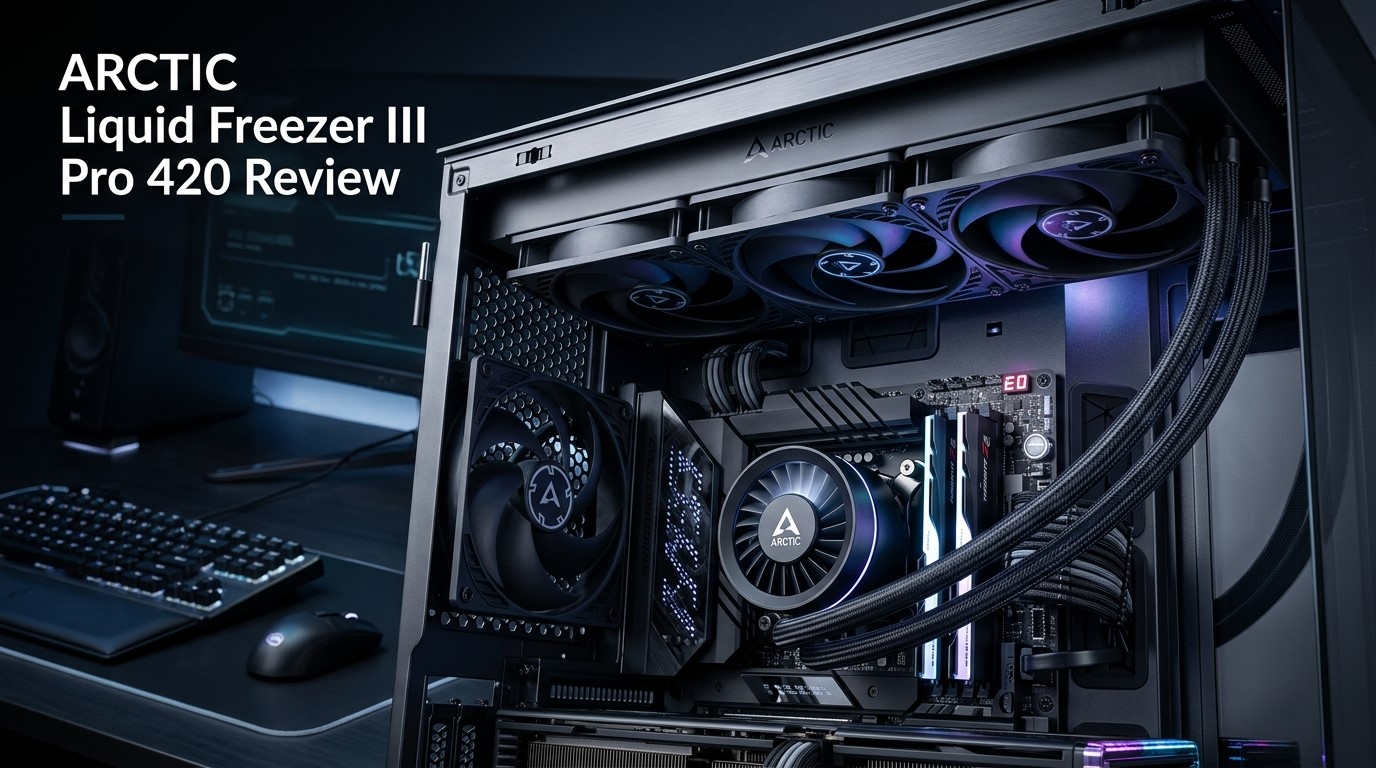
The Arctic Liquid Freezer III Pro 420 is an enthusiast-class CPU liquid cooler built for users who want substantial cooling capacity without stepping into a custom water-cooling setup. With a massive 420mm radiator, three 140mm fans, an integrated pump, and additional VRM airflow, it takes a performance-first approach to CPU cooling.
Unlike smaller AIO coolers that prioritize compact dimensions, this model is designed around thermal capacity. The large radiator gives it plenty of surface area for transferring heat away from the coolant, while the 140mm fans provide the airflow needed to keep the radiator operating efficiently.
In this Arctic Liquid Freezer III Pro 420 review, we’ll examine its design, specifications, features, installation requirements, expected real-world behavior, noise characteristics, safety considerations, and long-term maintenance. We’ll also explain which users can benefit from a 420mm AIO and who may be better served by a smaller cooler.
If you’re building a powerful gaming PC, workstation, or enthusiast system, the question isn’t simply whether this cooler can handle your CPU. It’s whether your system actually needs everything a cooler of this size has to offer.
Why it Matters to You
A CPU cooler affects much more than the temperature shown by your monitoring software.
When a processor repeatedly reaches its thermal or power limits, it can reduce its operating frequency to control heat. A capable cooler gives the CPU more thermal headroom, particularly during long periods of heavy utilization.
That’s where a large AIO such as the Liquid Freezer III Pro 420 becomes interesting.
The 420mm radiator offers considerably more cooling surface than conventional 240mm designs. Three 140mm fans provide the airflow across that radiator, while the integrated VRM fan adds localized airflow around the CPU socket.
This can be especially useful if you’re running a high-end processor for gaming, rendering, video production, software development, 3D work, or other demanding workloads.
However, the larger design comes with a major requirement: you need a case that can actually accommodate it.
In-Depth Reviews of Arctic Liquid Freezer III Pro 420
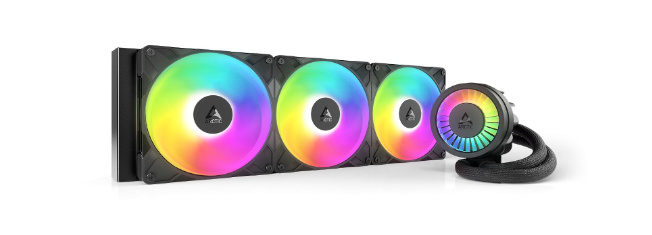
The Arctic Liquid Freezer III Pro 420 is a high-performance AIO cooler designed for demanding CPUs. Its massive 420mm radiator, three 140mm fans, integrated pump, and dedicated VRM fan provide excellent thermal capacity. It is particularly suitable for gaming PCs, workstations, and sustained workloads where strong cooling, stable temperatures, and efficient heat dissipation are important.
Design and Build
The Liquid Freezer III Pro 420 has a distinctly performance-oriented design. Instead of focusing on elaborate lighting or decorative features, Arctic puts much of the product’s physical design toward cooling.
The large radiator is the centerpiece. Its size provides considerable surface area for heat dissipation, while the three 140mm fans cover the radiator efficiently.
The CPU block is also more than a simple pump housing. Arctic incorporates the pump and VRM-focused airflow into the assembly, giving the cooler a distinctive appearance compared with many conventional AIO designs.
420mm Radiator Advantage
The main attraction is obviously the radiator.
A 420mm radiator is significantly larger than a typical 240mm AIO and has a larger physical cooling area than many 360mm solutions as well.
That doesn’t mean temperatures will automatically be dramatically lower. CPU temperatures are influenced by many variables, including CPU architecture, power limits, mounting pressure, thermal compound, ambient temperature, and case airflow.
Still, the additional thermal capacity can be valuable when the CPU is producing substantial heat for extended periods.
140mm Fan Configuration
Instead of using three 120mm fans, Arctic equips the cooler with three 140mm fans.
The larger fan diameter allows the cooler to move considerable air across the radiator. For users who care about both cooling and acoustics, larger fans can be useful because they don’t necessarily need to spin as aggressively as smaller fans to produce strong airflow.
Fan curves remain important, though. A poorly configured curve can make even a large cooler unnecessarily loud.
Integrated VRM Cooling
One of the more unusual aspects of the Liquid Freezer III platform is its additional VRM airflow.
The small integrated fan around the CPU block directs air toward the motherboard’s voltage-regulation area.
This isn’t the primary reason to buy the cooler, but it is a useful supporting feature, particularly in systems where the CPU is drawing significant power over long periods.
Installation
The physical size of the cooler is the biggest installation consideration.
A 420mm radiator takes up substantial space, and its installation can interact with the motherboard, memory modules, GPU, and case fans.
Before buying, check the manufacturer’s case compatibility specifications rather than relying only on the advertised radiator size.
A case may technically support a 420mm radiator while still presenting clearance problems depending on the motherboard and component layout.
Specifications Table
The following table provides a practical overview of the cooler’s main characteristics.
| Specification | Details |
|---|---|
| Product | Arctic Liquid Freezer III Pro 420 |
| Cooler Type | Closed-loop liquid CPU cooler |
| Radiator | 420mm |
| Fan Configuration | 3 × 140mm |
| Cooling Method | Liquid cooling |
| Pump | Integrated pump |
| VRM Cooling | Integrated auxiliary fan |
| Fan Control | PWM |
| CPU Compatibility | Intel and AMD platforms depending on mounting support |
| Radiator Construction | Aluminum |
| Cold Plate | Copper |
| Target Users | Enthusiasts, gamers, workstation users |
| Primary Strength | High-capacity CPU cooling |
| Case Requirement | 420mm-compatible chassis |
| Recommended Environment | High-performance desktop systems |
Always verify the current socket compatibility and included mounting hardware for your specific processor before purchasing.
Key Features at a Glance
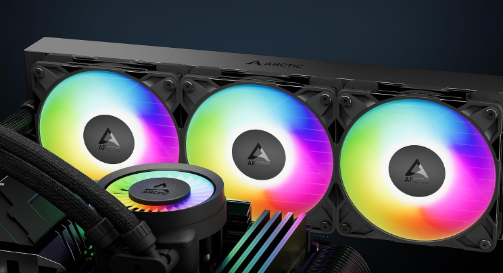
The Liquid Freezer III Pro 420 brings together several features aimed at high-end CPU cooling:
- Large 420mm radiator
- Three 140mm radiator fans
- Integrated pump assembly
- Additional VRM airflow fan
- Copper CPU contact surface
- PWM-based control
- High thermal capacity
- Designed for demanding processors
- Suitable for gaming and workstation workloads
- Performance-focused rather than RGB-focused design
What to Look for When Choosing the Arctic Liquid Freezer
The right AIO depends on your complete PC configuration.
CPU Class
Start with the processor.
A powerful CPU that regularly operates under high sustained loads can make better use of a 420mm cooling system than an entry-level or low-power processor.
Case Size
This should be checked before anything else.
A 420mm radiator is not suitable for every ATX case, and it is generally unrealistic for compact builds.
Look for explicit support for 420mm radiators and then check the exact mounting position.
Motherboard Clearance
Large radiators and fans can compete for space with motherboard heatsinks and memory.
Pay attention to the top edge of the motherboard and the available clearance around the CPU socket.
GPU Configuration
Radiator placement can also influence graphics-card temperatures.
If the radiator occupies the front of the case, the air entering the case may be warmer after passing through the radiator. A top-mounted radiator can provide a different thermal balance.
Noise Expectations
Cooling performance isn’t the only consideration.
Look at fan size, fan speed, pump behavior, and your ability to configure fan curves. A well-tuned cooling system can be considerably more pleasant than one running its fans at maximum speed unnecessarily.
Quick Highlights Table
| Feature | Arctic Liquid Freezer III Pro 420 |
|---|---|
| Cooling Class | Enthusiast |
| Radiator | 420mm |
| Fans | 3 × 140mm |
| CPU Cooling | Excellent potential |
| Heavy Workloads | Excellent fit |
| Gaming | Very suitable |
| Noise Control | Strong potential with tuning |
| Installation | Moderate |
| Case Compatibility | Requires careful checking |
| VRM Airflow | Yes |
| Compact Builds | Poor fit |
| Best Audience | High-performance PC builders |
Buying Guide: What to Look for
Before ordering the cooler, take five minutes to verify your system’s physical compatibility.
Measure Before You Buy
Don’t simply ask whether your case supports a 420mm radiator.
Check:
- Maximum radiator length
- Maximum radiator thickness
- Fan clearance
- RAM height
- Motherboard heatsink clearance
- GPU clearance
- Radiator mounting location
These details can determine whether installation is straightforward or frustrating.
Consider Your Workload
For ordinary office applications and light gaming, a huge AIO may provide more capacity than necessary.
For sustained CPU-intensive work, however, the extra radiator area can become much more useful.
Consider Future Upgrades
If you’re planning to upgrade to a more powerful processor later, a high-capacity AIO may provide additional flexibility.
But only consider this if your existing or future case will continue to support the radiator.
Don’t Ignore Airflow
A radiator can’t dispose of heat efficiently if the case has poor airflow.
A good intake/exhaust configuration is essential for getting the most out of the cooler.
Pros & Cons of Arctic Liquid Freezer III Pro 420
This Arctic Liquid Freezer III Pro 420 review highlights a product that puts thermal capacity ahead of compactness. Its strengths are impressive, but its size makes it a specialized choice.
Pros
- Very large cooling capacity
- 420mm radiator
- Three 140mm fans
- Strong option for high-power CPUs
- Integrated VRM airflow
- Well suited to long workloads
- Plenty of thermal headroom
- Performance-focused design
Cons
- Requires substantial case space
- Compatibility needs careful checking
- Installation can be more complicated
- Excessive for many mainstream CPUs
- Not suitable for compact builds
- Large radiator can affect overall component layout
Best Pick Based on Your Use Case
For Enthusiast Gaming
If you’re building a high-end gaming PC and your CPU generates considerable heat, the Liquid Freezer III Pro 420 provides plenty of cooling capacity.
It’s particularly suitable when the rest of the system is also designed around high performance.
For Video Editing
Video encoding and editing workloads can keep the CPU busy for extended periods.
The large radiator makes the cooler particularly interesting for creators who regularly perform long CPU-intensive tasks.
For 3D Rendering
3D rendering can maintain high CPU utilization for long periods. This is exactly the kind of workload where additional radiator capacity can be useful.
For Workstations
Developers, engineers, creators, and professionals using CPU-intensive applications can take advantage of the cooler’s sustained cooling potential.
For Budget Builds
This isn’t where the 420mm format makes the most sense.
If the CPU doesn’t produce enough heat to justify the additional cooling capacity, spending less on a smaller cooler may result in a more balanced build.
Real-World Performance
The Liquid Freezer III Pro 420 should be viewed as a cooler designed for sustained thermal loads rather than simply chasing the lowest possible idle temperature.
During everyday desktop usage, CPU temperatures will often be influenced more by ambient temperature and fan curves than by the difference between large AIO sizes.
The situation changes under sustained load.
When a CPU continuously draws substantial power, the radiator must repeatedly remove heat from the coolant. The 420mm radiator provides a large heat-dissipation area, giving the system considerable thermal capacity.
Gaming Performance
Gaming loads vary substantially from game to game.
Some games place greater emphasis on CPU performance, while others are predominantly GPU-limited. Consequently, the cooler’s value becomes more apparent when paired with a CPU that operates at high power during demanding workloads.
Productivity Performance
Long-running productivity applications can benefit from strong CPU cooling because the processor has to maintain high utilization for longer periods.
This includes:
- Video encoding
- 3D rendering
- Software compilation
- Data processing
- Simulation workloads
- Heavy multitasking
Thermal Behavior
Actual temperatures will vary according to:
- CPU model
- CPU power limits
- Ambient temperature
- Thermal paste
- Mounting pressure
- Case airflow
- Fan curve
- Pump speed
For that reason, benchmark results from another PC should never be treated as guaranteed temperatures for your own system.
Acoustic Performance
The three 140mm fans give the cooler plenty of airflow potential.
The key is finding the right fan curve. At light loads, lower fan speeds can help keep the system quiet. During heavy CPU workloads, increasing fan speed provides the additional airflow necessary to remove heat.
Safety & Protection
Correct installation is important with any liquid CPU cooler.
Secure the CPU Block
Make sure the mounting system is evenly tightened according to the installation instructions.
Uneven pressure can affect contact between the cold plate and CPU.
Check the Radiator
Inspect the radiator and tubing during installation. Avoid putting unnecessary force on the tubes or fittings.
Monitor Temperatures
After installation, monitor CPU temperatures during both idle and load conditions.
If temperatures are unexpectedly high, check mounting pressure, pump operation, thermal compound application, and radiator airflow.
Keep Dust Away
Dust can accumulate between radiator fins and reduce airflow.
Regular cleaning helps preserve cooling performance over time.
Maintain Proper Case Airflow
The radiator needs access to a consistent airflow path. Make sure intake and exhaust fans work together rather than fighting against each other.
Long-Term Reliability Tips
AIO coolers require less maintenance than custom liquid-cooling systems, but they still benefit from basic care.
Clean the radiator regularly: Dust buildup can reduce airflow.
Check fan operation: Make sure all radiator fans continue spinning normally.
Monitor temperature trends: A gradual increase in load temperatures can indicate an airflow or hardware issue.
Listen for unusual pump noise: A significant change in pump behavior should be investigated.
Keep the tubes unobstructed: Avoid unnecessary bends or pressure on the tubing.
Maintain clean filters: Case filters can become clogged and reduce radiator airflow.
Review fan curves occasionally: Changes to motherboard settings or BIOS profiles can alter cooling behavior.
Buying Recommendations

The Arctic Liquid Freezer III Pro 420 is most appropriate for a specific type of system: a large, high-performance desktop with a powerful CPU.
If that describes your build, the cooler’s large radiator and 140mm fan configuration offer plenty of cooling capacity.
Before purchasing, confirm the following:
- Your CPU socket is supported.
- Your case supports a 420mm radiator.
- The radiator thickness fits your chassis.
- Three 140mm fans can be installed without clearance conflicts.
- Your motherboard heatsinks won’t interfere with the radiator.
- Your RAM and GPU layout are compatible.
- Your case airflow is strong enough to support the radiator.
If all seven checks pass, the cooler becomes a much more practical option.
Final Verdict
The Arctic Liquid Freezer III Pro 420 is an unapologetically large CPU cooler designed for users who prioritize thermal capacity.
Its 420mm radiator and three 140mm fans give it the physical characteristics expected from a high-end cooling solution, while the integrated pump and VRM airflow make the design more sophisticated than a basic radiator-and-pump combination.
The major trade-off is size. You can’t treat this like a typical 240mm AIO and assume it will fit comfortably in almost any modern case.
For a high-performance gaming or workstation PC with enough space, it offers a substantial cooling platform. For smaller builds or CPUs with modest thermal requirements, its size may outweigh its advantages.
Ultimately, the Liquid Freezer III Pro 420 makes the most sense when your CPU can actually take advantage of its large cooling capacity and your case has been selected with a 420mm radiator in mind.
FAQs about Arctic Liquid Freezer III Pro 420
Q1: Is the Arctic Liquid Freezer III Pro 420 good for high-end CPUs?
Ans: Yes. It is designed as a high-capacity liquid cooler and is particularly suited to processors that generate significant heat during demanding workloads.
Q2: What makes the Liquid Freezer III Pro 420 different from smaller AIO coolers?
Ans: Its biggest difference is the 420mm radiator combined with three 140mm fans. The larger cooling surface and fans provide substantial thermal capacity.
Q3: Does it support both AMD and Intel CPUs?
Ans: The Liquid Freezer III platform supports multiple AMD and Intel sockets, but compatibility can vary by processor generation and mounting hardware. Check the current compatibility list before purchasing.
Q4: Does the Liquid Freezer III Pro 420 include a VRM fan?
Ans: Yes. The cooler includes an integrated auxiliary fan designed to provide additional airflow around the motherboard’s VRM area.
Q5: Is a 420mm AIO overkill for gaming?
Ans: It depends on the processor and workload. High-power CPUs can make better use of the additional cooling capacity, while mainstream CPUs may not require such a large cooler.
Q6: Will the Liquid Freezer III Pro 420 fit in a mid-tower case?
Ans: Some large mid-tower cases support 420mm radiators, but many do not. You should verify the exact case’s radiator compatibility and clearance specifications.
Q7: How should I maintain the Arctic Liquid Freezer III Pro 420?
Ans: Keep the radiator and case filters clean, monitor CPU temperatures, make sure all fans operate normally, and watch for unusual pump or fan noises.
Short Conclusion
The Arctic Liquid Freezer III Pro 420 is built around one clear goal: high-capacity CPU cooling. Its huge radiator, three 140mm fans, integrated pump, and VRM airflow make it an interesting choice for powerful gaming and workstation PCs. Its biggest limitation is its physical footprint, so case compatibility should be checked carefully before buying. For the right high-performance system, it provides substantial cooling headroom without requiring a custom water-cooling loop.