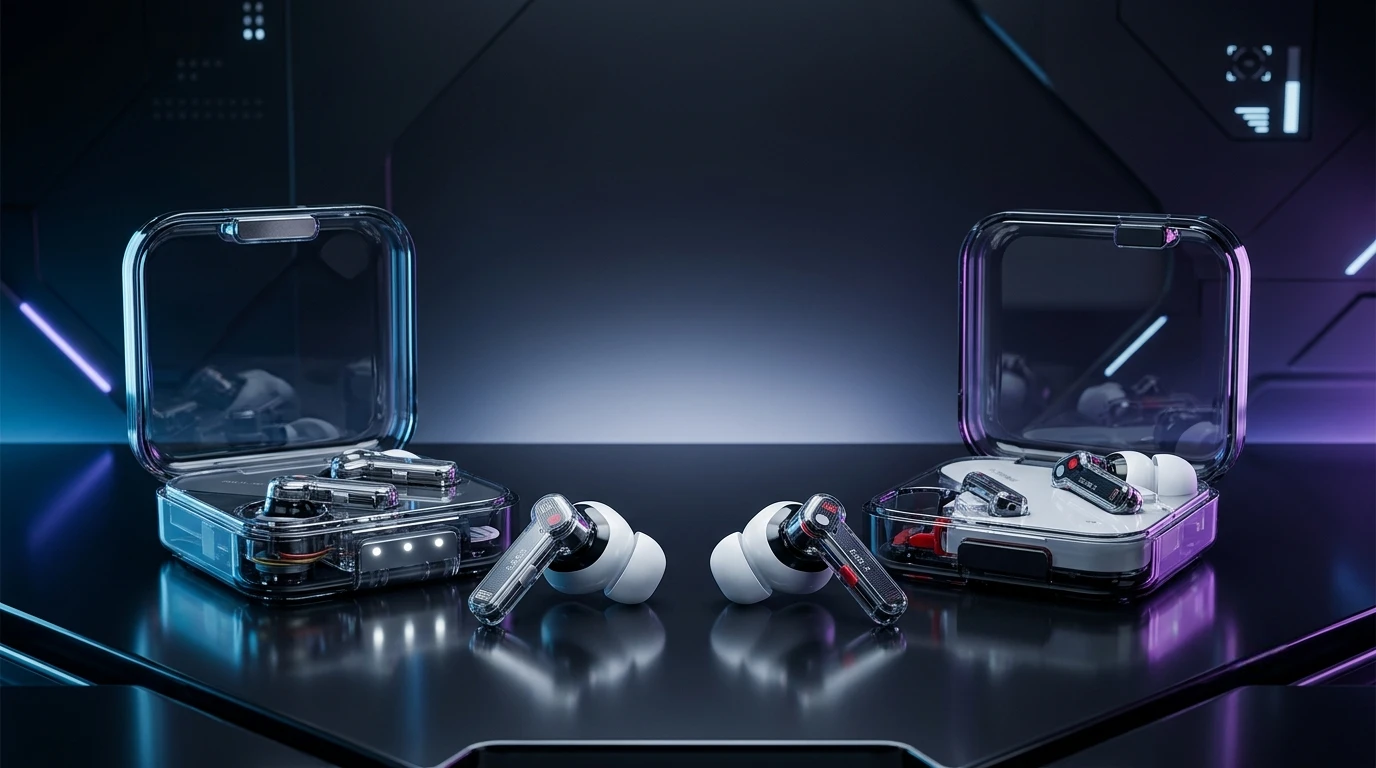
The Nothing Ear 3 vs Ear 2 comparison is an interesting matchup because both earbuds combine transparent styling, strong app support, active noise cancellation, and customizable sound. However, the Ear 3 is not simply a small refresh of the Ear 2. Nothing has introduced a redesigned charging case, a larger 12mm driver, a new Super Mic system, updated Bluetooth connectivity, stronger noise cancellation, and a more substantial feature set. The Ear 2, meanwhile, remains a compact and capable pair of earbuds with personalized ANC, LHDC support, wireless charging, and a lightweight design.
For the Ear 3, Nothing lists up to 45dB noise cancellation, 24-bit Hi-Res LDAC audio, a 55mAh battery in each earbud, and up to 38 hours of total listening with ANC off. The Ear 2 offers up to 40dB ANC, an 11.6mm dynamic driver, LHDC/AAC/SBC codecs, and up to 36 hours with ANC off.
So, is the newer model worth choosing, or does the older Ear 2 still make sense? Let’s compare their design, sound, ANC, battery life, microphones, connectivity, comfort, software, and everyday performance.
Feature-by-Feature Comparison Table
Before looking at individual features, here’s a quick specification-level comparison of the Nothing Ear 3 vs Ear 2.
| Feature | Nothing Ear 3 | Nothing Ear 2 |
| Generation | Newer generation | Previous generation |
| Driver | 12mm dynamic | 11.6mm dynamic |
| ANC | Up to 45dB | Up to 40dB |
| Audio | 24-bit Hi-Res LDAC | LHDC, AAC, SBC |
| Bluetooth | 5.4 | Bluetooth 5.3 |
| Adaptive ANC | Yes | Yes |
| Transparency Mode | Yes | Yes |
| Personal Sound | Yes | Yes |
| Spatial Audio | Static Spatial Audio | No equivalent feature |
| Super Mic | Yes | No |
| Battery per earbud | 55mAh | 33mAh |
| Playback, ANC on | Up to 5.5 hours | Up to 4 hours |
| Total playback, ANC off | Up to 38 hours | Up to 36 hours |
| Fast charging | 10 min for up to 10 hours | 10 min for up to 8 hours |
| Wireless charging | Yes | Yes |
| Earbud protection | IP54 | IP54 |
| App | Nothing X | Nothing X |
| Multipoint | Yes | Yes |
| EQ | Advanced customization | Custom EQ |
| Design | Transparent + metallic case | Transparent lightweight design |
| Special feature | Super Mic | Personalized ANC/Personal Sound |
The headline differences are clear: Ear 3 brings a larger driver, stronger advertised ANC, a newer Bluetooth implementation, a redesigned metal-accented case, longer claimed battery life, and the unusual Super Mic system. Nothing’s official specifications also list a 24-bit Hi-Res LDAC capability for Ear 3.
Quick Highlights Table
If you don’t need all the details, this table summarizes the biggest differences.
| Category | Nothing Ear 3 | Nothing Ear 2 |
| Sound | Larger, bassier presentation | Detailed, balanced Nothing tuning |
| Noise Cancellation | Stronger overall | Good ANC |
| Calls | Super Mic adds another option | Traditional earbud microphones |
| Battery | Longer overall | Shorter |
| Charging | Faster 10-minute top-up | Fast charging |
| Connectivity | Bluetooth 5.4 + LDAC | Bluetooth 5.3 + LHDC |
| Design | More premium metal case | Lighter, simpler case |
| Comfort | Ergonomic redesign | Very lightweight |
| Customization | Extensive Nothing X controls | Extensive Nothing X controls |
| Gaming | Low-latency support | Low-latency support |
| Durability | IP54 | IP54 |
| Best for | New buyers wanting newer features | Buyers who find Ear 2 at a lower price |
Key Takeaways
The Nothing Ear 3 vs Ear 2 battle isn’t simply about which model has the newer number. The two earbuds take slightly different approaches to the wireless-earbud experience.

- Ear 3 has stronger advertised ANC, rated by Nothing at up to 45dB compared with up to 40dB for Ear 2.
- Ear 3 uses a larger 12mm dynamic driver, compared with the 11.6mm driver in Ear 2.
- Ear 3 introduces Super Mic, placing an additional microphone system inside the charging case.
- Ear 3 has the larger earbud batteries, with 55mAh in each bud versus 33mAh in Ear 2.
- Ear 2 remains extremely lightweight, making it attractive if comfort and minimal weight are your priorities.
- Ear 3 supports LDAC, while Ear 2 officially supports LHDC, AAC, and SBC.
- Both models provide wireless charging, ANC, transparency, multipoint connectivity, and Nothing X customization.
- Ear 3 adds newer features such as Static Spatial Audio, Dynamic Bass Enhancement, Personal Sound, and Super Mic.
Design and Build Quality
Nothing has always made design one of its strongest selling points, and the Ear 3 continues that philosophy.
The Ear 2 uses the company’s recognizable transparent aesthetic with a lightweight charging case. Its earbuds weigh around 4.5g each, according to Nothing’s published specifications. The result is a pair of earbuds that can feel almost weightless during longer listening sessions.
Ear 3 takes the same visual philosophy but moves it toward a more premium construction. Its charging case incorporates recycled aluminum, while the transparent lid preserves the recognizable Nothing appearance. Nothing also redesigned the antenna and says the new antenna is thinner while providing improved signal performance.
This gives Ear 3 a more substantial feel in the hand.
That doesn’t automatically make it better for everyone. Some users may prefer the understated lightness of Ear 2, especially when carrying the case in a pocket throughout the day.
Both earbuds have an IP54 rating, providing protection against dust and water splashes. That makes them suitable for everyday commuting and workouts, although neither should be treated as waterproof.
Sound Quality

Sound quality is one of the most important parts of the Nothing Ear 3 vs Ear 2 comparison.
Ear 2 uses an 11.6mm dynamic driver with a graphene and polyurethane diaphragm. It supports LHDC, AAC, and SBC codecs and provides Nothing’s personalized sound features through the Nothing X app.
The Ear 3 moves to a larger 12mm dynamic driver and uses aerospace-inspired materials around the driver assembly. Nothing says the newer driver provides up to 6dB more bass response and up to 4dB brighter treble than previous generations.
In practical terms, Ear 3 is designed for listeners who want a more energetic presentation.
Bass-heavy music such as electronic, hip-hop, pop, and modern rock can benefit from the added low-frequency emphasis. Vocals and treble are also intended to remain prominent, giving the earbuds a more dynamic character.
However, the extra bass isn’t necessarily ideal for listeners who prefer a neutral presentation.
Independent testing from SoundGuys described the Ear 3’s tuning as bass-heavy and found that its frequency response could be adjusted through the Nothing X parametric EQ.
Ear 2, meanwhile, remains appealing if you prefer a lighter and more traditional presentation.
The important advantage for both models is customization. You aren’t locked into the factory tuning. Nothing X provides EQ and personalization options, allowing users to adjust the sound according to their preferences.
Which sounds better?
The answer depends heavily on your preferred tuning.
Choose Ear 3 if you want stronger bass, newer driver technology, LDAC, and additional sound features.
Ear 2 remains attractive if you prefer its tuning and find it substantially cheaper.
Active Noise Cancellation
ANC is another major difference.
Nothing rates Ear 2 at up to 40dB of noise cancellation and provides personalized and environment-adaptive ANC.
Ear 3 increases the company’s advertised figure to 45dB and uses adaptive ANC that continuously checks the surroundings and adjusts the cancellation system. Nothing says the system recalibrates every 600 milliseconds while monitoring sound leakage.
Independent testing also found a measurable improvement with Ear 3. SoundGuys reported that Ear 3 reduced overall perceived loudness by around 82% in its testing, compared with around 75% for the previous Nothing Ear model from 2024.
That comparison isn’t a direct Ear 3-versus-Ear 2 laboratory test, so it shouldn’t be interpreted as a precise numerical difference between these two specific products.
Still, the newer Ear 3 is clearly designed around more capable ANC.
For airplanes, trains, buses, offices, and busy streets, the newer model has the stronger specification and demonstrated ANC performance.
Transparency Mode
Both models support Transparency Mode.
This is useful when you need to hear announcements, talk to someone, or remain aware of your surroundings without removing the earbuds.
Ear 2 already provides a useful combination of ANC and transparency, so Ear 3 doesn’t completely transform this experience.
The newer model’s main advantage is its broader audio and noise-control system rather than simply having transparency available.
For commuters, either model can work well, although the final experience depends heavily on ear-tip fit.
Microphone and Call Quality
This is where the Ear 3 becomes considerably more unusual.
The Ear 3 charging case contains a dedicated Super Mic system. Nothing says it uses a dual-microphone setup with ambient filtering microphones designed to isolate your voice from surrounding noise. The company recommends holding the case approximately 5cm from your mouth in particularly noisy environments.
The concept is unusual because the charging case effectively becomes an external microphone.
It can be useful for voice notes and certain calling situations, particularly when environmental noise makes conventional earbud microphones less effective.
However, it’s important not to assume that “Super Mic” automatically means perfect call quality.
SoundGuys’ testing found that the Super Mic could reduce clipping but described its sound as somewhat muffled, while the conventional microphone system also had limitations in windy conditions.
Ear 2 doesn’t have this special case microphone, so its call experience depends entirely on its integrated earbud microphone system.
If you frequently record voice notes or want an unusual microphone feature, Ear 3 is clearly more interesting.
If you simply want conventional hands-free calls, Ear 2 can still be perfectly adequate.
Battery Life and Charging
Battery life is another area where Ear 3 makes a meaningful improvement.
Nothing lists a 55mAh battery in each Ear 3 earbud and up to 5.5 hours of listening with Adaptive ANC enabled. The charging case can provide up to 38 hours of total listening with ANC off.
Ear 2 uses 33mAh batteries in the earbuds and is rated for up to 4 hours with ANC enabled or up to 36 hours with ANC disabled when the case is included.
So Ear 3 has an advantage in both earbud capacity and claimed total endurance.
Fast charging is also improved. Nothing says a 10-minute USB-C charge can provide up to 10 hours of playback for Ear 3. Ear 2 is rated for up to 8 hours from a 10-minute charge with ANC off.
Both support wireless charging.
For travelers and heavy daily users, Ear 3’s battery improvements make it the more convenient option.
Connectivity and Codecs
Ear 3 uses Bluetooth 5.4, while Ear 2 uses an older Bluetooth generation. Nothing confirms Bluetooth 5.4 for Ear 3.
The newer earbuds support LDAC for high-resolution wireless audio. Ear 2 supports LHDC, AAC, and SBC.
This creates an interesting difference for Android users.
If your phone supports LDAC, Ear 3 gives you access to that codec. If your device supports LHDC and you specifically want LHDC compatibility, Ear 2 has an advantage in codec flexibility.
Both models support multipoint connectivity, allowing you to connect to multiple devices and switch between them.
For someone who regularly uses a laptop and smartphone together, this is more important than simply having the latest Bluetooth number.
Comfort and Fit
Ear 2 is exceptionally lightweight, with each earbud listed at approximately 4.5g.
That makes it easy to forget you’re wearing them.
Ear 3 has been redesigned around ergonomics, with Nothing describing an updated stem, venting system, and silicone tips intended to reduce pressure and improve stability.
The final winner in comfort will depend on your ears.
A lighter earbud can be advantageous during long listening sessions, but shape is equally important. The best-fitting earbud is the one that creates a reliable seal without causing pressure.
Because ANC effectiveness also depends on passive isolation, getting the correct ear-tip size matters for both models.
Software and Customization
Both earbuds work with the Nothing X app, which is one of the strongest parts of the Nothing ecosystem.
Ear 2 offers personalized sound, personalized ANC, EQ controls, transparency, and other settings.
Ear 3 expands this software experience with an advanced 8-band equalizer, Personal Sound, Dynamic Bass Enhancement, Static Spatial Audio, and other controls.
Personal Sound can analyze your hearing and create a customized profile.
This means Ear 3 isn’t simply relying on better hardware. Its software gives users more control over how the earbuds behave.
For people who enjoy adjusting audio settings, Ear 3 has the more extensive feature package.
Gaming Performance
Neither product is positioned as a dedicated gaming headset, but both can be useful for casual mobile gaming.
Low-latency modes help reduce the delay between an action on screen and the sound reaching your ears.
Ear 3 adds newer connectivity and Nothing’s updated audio platform, while Ear 2 already supports low-latency functionality.
For competitive gaming, wired headphones or dedicated low-latency gaming earbuds can still be preferable.
For casual gaming, videos, and mobile games, either model can work well.
Durability and Everyday Use
Both earbuds carry an IP54 rating, which means protection against dust and water splashes.
This is enough for everyday commuting, light exercise, and unexpected splashes.
Neither should be intentionally submerged.
The Ear 3 case is more substantial because of its aluminum construction, while Ear 2 emphasizes lightweight portability.
If your priority is a premium-feeling case, Ear 3 has the more distinctive construction.
If pocket weight matters more, Ear 2 remains attractive.
Pros & Cons of Nothing Ear 3 vs Ear 2
When comparing Nothing Ear 3 vs Ear 2, both models have clear strengths and compromises.
Nothing Ear 3 Pros
- Stronger advertised ANC
- Larger 12mm dynamic driver
- 24-bit Hi-Res LDAC support
- Bluetooth 5.4
- Super Mic charging-case microphone
- Larger 55mAh earbud batteries
- Up to 38 hours total playback with ANC off
- Faster 10-minute charging
- Wireless charging
- Advanced Nothing X customization
- Static Spatial Audio
- Dynamic Bass Enhancement
- Premium aluminum case
- IP54 protection
Nothing Ear 3 Cons
- More expensive than the older model at launch
- Super Mic may not be useful to everyone
- Battery life with ANC enabled is still limited compared with some larger earbuds
- Bass-heavy tuning may not suit every listener
- More substantial case than Ear 2
Nothing Ear 2 Pros
- Very lightweight earbuds
- Compact transparent design
- Personalized ANC
- LHDC support
- AAC and SBC support
- Wireless charging
- Multipoint connectivity
- Good Nothing X customization
- Up to 36 hours total playback with ANC off
- Comfortable for many users
- Potentially attractive value when discounted
Nothing Ear 2 Cons
- Older Bluetooth platform
- Lower advertised ANC capability
- Smaller batteries
- Smaller 11.6mm drivers
- No Super Mic
- No equivalent to Ear 3’s newer spatial-audio and bass-enhancement features
Buying Recommendations
Buy Nothing Ear 3 if you want the newer feature set
Ear 3 makes the most sense if you want Nothing’s newest earbud platform.
Its stronger ANC specification, larger driver, upgraded battery, LDAC, Bluetooth 5.4, redesigned case, and Super Mic give it several meaningful differences over Ear 2.
It’s especially interesting for people who frequently commute, make voice recordings, listen to bass-heavy music, or simply want the latest Nothing design.
Buy Nothing Ear 2 if you find a significant discount
Ear 2 remains capable.
It already includes ANC, transparency, wireless charging, multipoint, personalized sound, and a strong companion app.
If you can find it substantially cheaper than Ear 3, the older model can still provide a strong everyday wireless-earbud experience.
For music enthusiasts
The decision depends on your preferred codec and tuning.
Ear 3 supports LDAC and uses a larger 12mm driver, while Ear 2 supports LHDC and has its own personalized sound system.
Your smartphone’s codec compatibility should therefore be part of the buying decision.
For commuters
Ear 3’s stronger ANC system makes it particularly interesting for noisy environments.
For long listening sessions
Ear 2’s lightweight design remains appealing, while Ear 3 offers better claimed battery endurance.
Your priorities should determine which advantage matters more.
Final Verdict
The Nothing Ear 3 vs Ear 2 comparison shows a clear generational progression, but the differences aren’t limited to cosmetic changes.
Ear 3 introduces a more substantial redesign with a 12mm driver, stronger advertised ANC, Bluetooth 5.4, LDAC, larger batteries, an aluminum case, expanded software features, and the unusual Super Mic.
Ear 2 remains a capable alternative because it already offers personalized ANC, wireless charging, multipoint connectivity, personalized sound, and LHDC support.
The choice therefore depends on how much you value the newer features.
If you want the newer hardware and broader feature set, Ear 3 is the more feature-rich option.
If you already own Ear 2 and are happy with its sound, ANC, battery, and connectivity, the upgrade is less compelling unless you specifically want the newer ANC system, battery improvements, Super Mic, or newer audio features.
FAQs about Nothing Ear 3 vs Ear 2
Q1: What is the main difference between Nothing Ear 3 and Ear 2?
Ans: The Ear 3 introduces a larger 12mm driver, stronger advertised 45dB ANC, Bluetooth 5.4, LDAC, larger batteries, a redesigned aluminum case, newer audio features, and the Super Mic. Ear 2 uses an 11.6mm driver, up to 40dB ANC, Bluetooth from an older generation, LHDC support, and a lighter design.
Q2: Does Nothing Ear 3 have better ANC than Ear 2?
Ans: On paper, yes. Nothing rates Ear 3 at up to 45dB ANC compared with up to 40dB for Ear 2. Ear 3 also uses an updated adaptive ANC system that continuously monitors the listening environment.
Q3: Does Nothing Ear 3 have better sound quality?
Ans: Ear 3 uses a larger 12mm dynamic driver and supports 24-bit Hi-Res LDAC. It is also tuned with stronger bass and brighter treble characteristics. Ear 2 uses an 11.6mm dynamic driver and supports LHDC, AAC, and SBC. The better choice depends on your preferred sound signature and your phone’s supported codecs.
Q4: Does Nothing Ear 3 have better battery life?
Ans: Yes, based on Nothing’s published specifications. Ear 3 provides up to 5.5 hours with Adaptive ANC and up to 38 hours using the case with ANC off. Ear 2 is rated for up to 4 hours with ANC and up to 36 hours with ANC off.
Q5: Does Nothing Ear 3 have a microphone in the case?
Ans: Yes. The Ear 3 charging case contains the Super Mic system, designed to capture your voice while reducing surrounding noise. Nothing recommends holding the case close to your mouth when using it in loud environments.
Q6: Is Nothing Ear 2 still worth buying?
Ans: Ear 2 can still make sense if you find it at a significantly lower price. It offers ANC, transparency, wireless charging, multipoint, personalized sound, and LHDC support. Its value becomes particularly interesting when discounted compared with the newer model.
Q7: Should you upgrade from Nothing Ear 2 to Ear 3?
Ans: The upgrade provides the most noticeable changes for users who want stronger ANC, longer claimed battery life, LDAC, a larger driver, newer software features, or the Super Mic. If your Ear 2 already meets your needs, there is less reason to upgrade solely for basic music playback and ANC.
Short Conclusion
The Nothing Ear 3 vs Ear 2 comparison shows how Nothing has expanded its flagship earbud formula. Ear 3 brings stronger ANC, a larger driver, upgraded battery capacity, LDAC, Bluetooth 5.4, advanced customization, and the distinctive Super Mic. Ear 2 remains a lightweight and capable option with excellent core features. For buyers seeking the latest Nothing technology, Ear 3 offers the broader feature package, while Ear 2 remains relevant when available at a substantially lower price.