
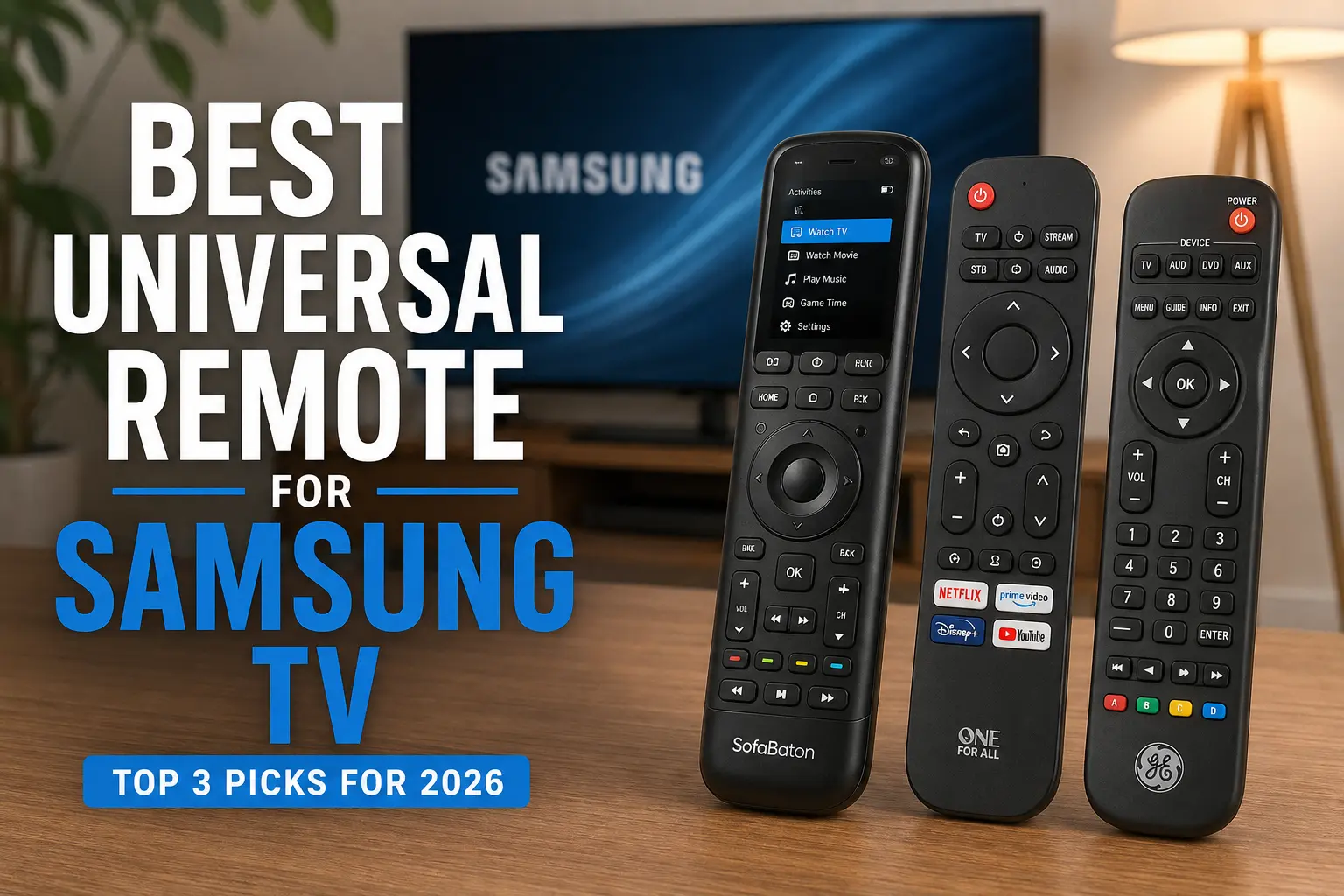
Finding the best universal remote for Samsung TV can make everyday entertainment considerably easier. Samsung TVs already offer sophisticated smart features, but managing a television alongside a soundbar, Blu-ray player, cable box, streaming device, or AV receiver can quickly lead to a coffee table full of remotes. A good universal remote brings those controls together into one convenient device.
The challenge is that not every universal remote works equally well with modern Samsung televisions. Some are designed primarily for infrared devices, while others add Bluetooth support, programmable macros, app-based configuration, OLED displays, or control for multiple home-theater components. The right choice therefore depends on how simple or sophisticated your setup is.
For most Samsung TV owners who want extensive device compatibility and customization, the SofaBaton U3 is one of the strongest choices. It can replace more than 15 infrared and Bluetooth remotes, supports a large device database, and provides programmable commands and macros.
For users who simply need a straightforward replacement remote, however, a less expensive four-device universal remote can be a better solution. Streaming-focused households may also benefit from a One For All remote designed around TV and streaming controls.
This guide compares three excellent options, explains their differences, examines real-world usability, and helps you choose the best universal remote for your particular Samsung TV setup.
Why it Matters to You
A universal remote isn’t simply about replacing a lost Samsung remote. Its biggest advantage is convenience.
Think about a typical entertainment setup. You may have a Samsung Smart TV, soundbar, streaming stick, cable receiver, Blu-ray player, and game console. Even if you primarily use only two or three of those devices, switching between multiple remotes can become frustrating.
A universal remote can simplify common tasks such as:
- Turning the Samsung TV on and off
- Adjusting TV or soundbar volume
- Changing HDMI inputs
- Controlling a cable or satellite receiver
- Navigating a compatible streaming device
- Playing or pausing media
- Launching frequently used streaming services
- Controlling multiple components with programmable commands
The biggest benefit is consistency. Instead of remembering which remote controls which function, you can place the important controls in one device.
Compatibility is especially important with Samsung TVs because some newer entertainment products communicate through Bluetooth, Wi-Fi, or proprietary wireless protocols rather than conventional infrared. A remote that is excellent for an older Samsung TV and soundbar may not necessarily control every modern streaming device.
For example, SofaBaton states that its U3 supports Samsung televisions and more than 500,000 home-entertainment devices across its database, while its compatibility limitations include Wi-Fi-only devices and certain classic Bluetooth products.
That makes choosing based on your entire entertainment system—not just your television—much more important.
In-Depth Reviews of the Best 3 Products
1. SofaBaton U3 — Best Overall
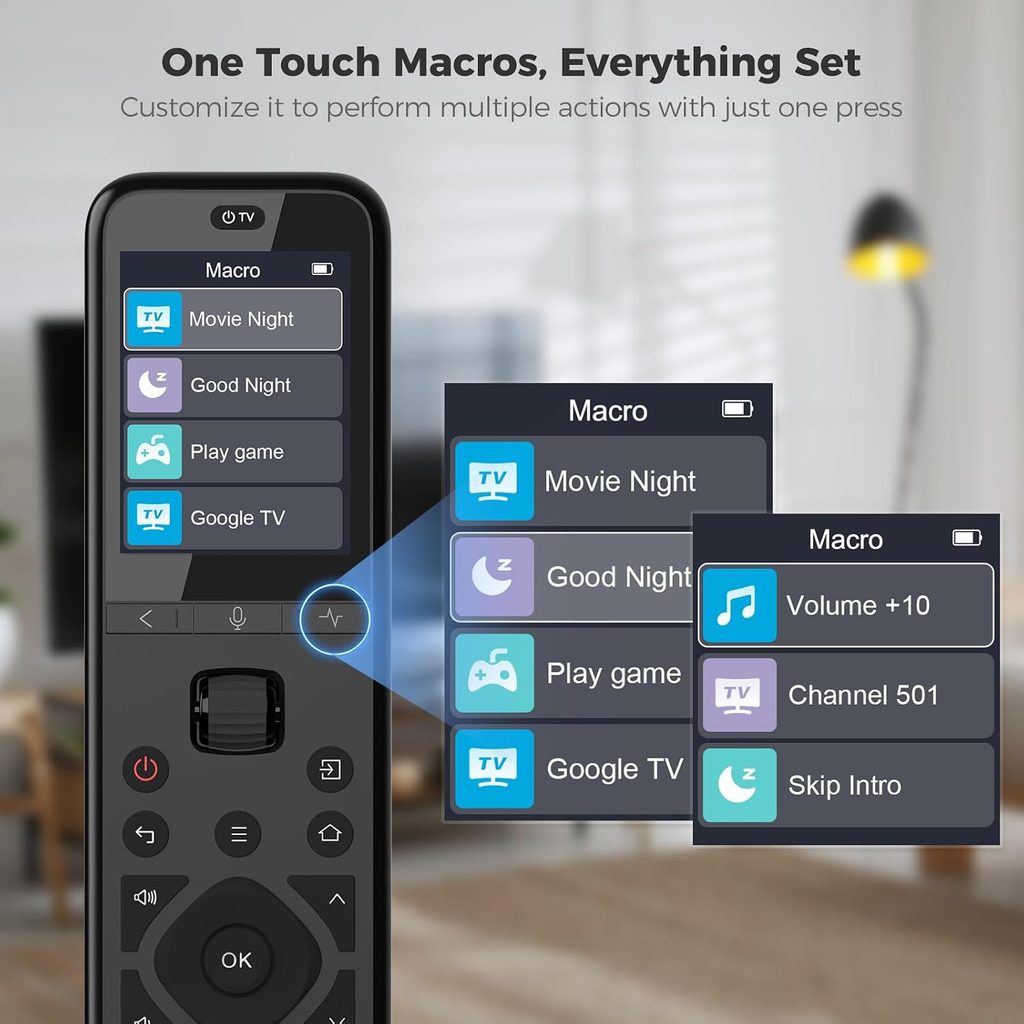
The SofaBaton U3 is our top choice for Samsung TV owners who want one remote capable of controlling an entire home-theater setup.
Its major advantage is flexibility. SofaBaton says the U3 can replace more than 15 infrared and Bluetooth remotes and includes a database covering more than 6,000 brands and 500,000 home-entertainment devices.
That is considerably more capable than a basic replacement remote.
The U3 also features an OLED display and scroll wheel, making it easier to move between multiple programmed devices. Instead of having several physical remote layouts scattered around your living room, you can switch between your Samsung TV, soundbar, Blu-ray player, receiver, and other compatible devices from one controller.
Another major strength is programmable macros. You can configure a button to perform multiple commands. For example, one macro could turn on your Samsung TV, activate your receiver, and change the receiver input.
Independent testing also rated the U3 highly for compatibility, operation, programmable buttons, and macros, with support for up to 15 simultaneously paired devices.
Pros
- Excellent overall compatibility
- Supports up to 15 devices
- Samsung TV compatible
- OLED display
- Programmable buttons
- Macro functionality
- IR and supported Bluetooth control
- Large device database
- Comfortable ergonomic design
Cons
- Setup is more complicated than basic remotes
- Companion app is used for most configuration
- No Wi-Fi device control
- Some Bluetooth devices aren’t supported
- More expensive than basic universal remotes
The U3 isn’t the simplest remote in this comparison, but it is the best option if you want a single remote for a reasonably complex entertainment system.
2. One For All Streamer Remote — Best for Streaming
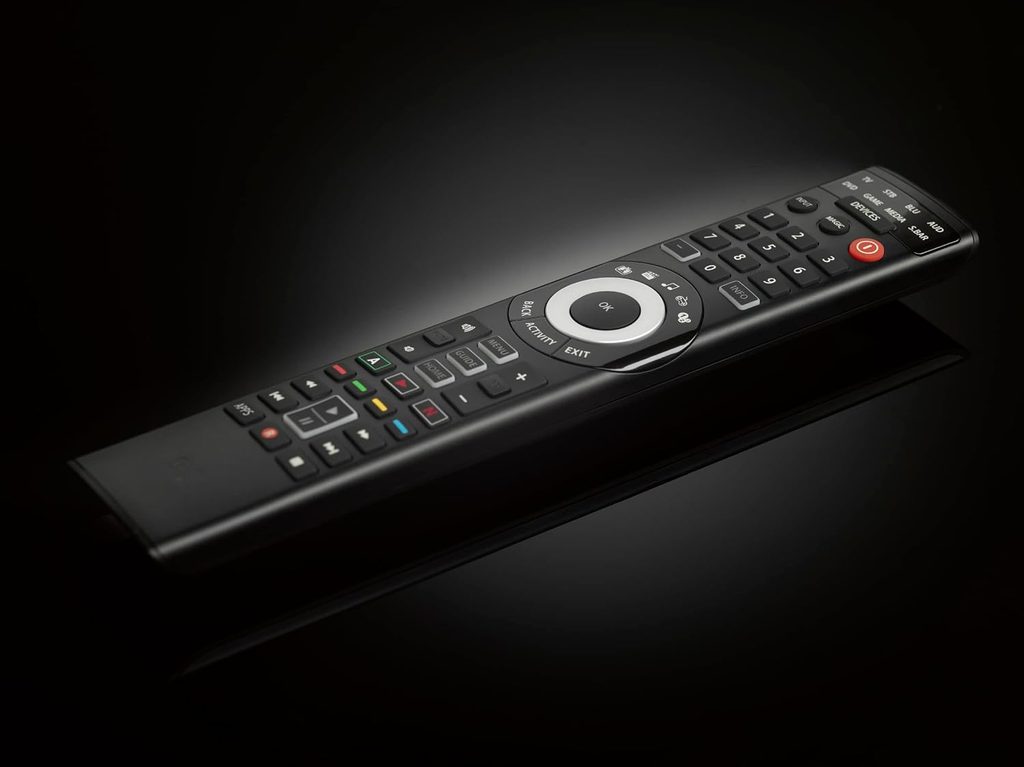
The One For All Streamer Remote is a strong choice for Samsung TV owners who primarily watch content through a streaming device.
Its philosophy is different from the SofaBaton U3. Instead of attempting to become the control center for a large home theater, it focuses on frequently used television and streaming functions.
One For All’s Streamer remote can be configured to control a streamer alongside essential TV functions such as power, volume, mute, and input. Its setup documentation also specifically identifies Samsung among supported TV brands.
This makes it particularly appealing if your setup looks something like:
Samsung TV + streaming device + soundbar
rather than:
Samsung TV + AVR + Blu-ray + cable box + streaming box + multiple other components.
The remote’s simplified button layout can also be easier for family members who don’t want to learn a complicated multi-device controller.
One For All currently lists several Samsung-compatible universal and streamer-oriented remotes, including the URC7945 Smart Streamer Remote, which controls up to five devices and includes backlighting and streaming shortcuts.
Pros
- Excellent for streaming-focused setups
- Samsung TV support
- Simple layout
- Streaming shortcuts
- Can control important TV functions
- Easier to learn than advanced remotes
- Good option for everyday living-room use
Cons
- Less suitable for complicated AV systems
- Fewer advanced automation features
- Device compatibility depends on the exact model
- Not the ideal choice for extensive multi-component setups
If your Samsung TV is mainly used with Roku, Fire TV, a cable box, or another streaming platform, the One For All approach makes a lot of sense.
3. GE 4-Device Universal Remote — Best Budget Pick
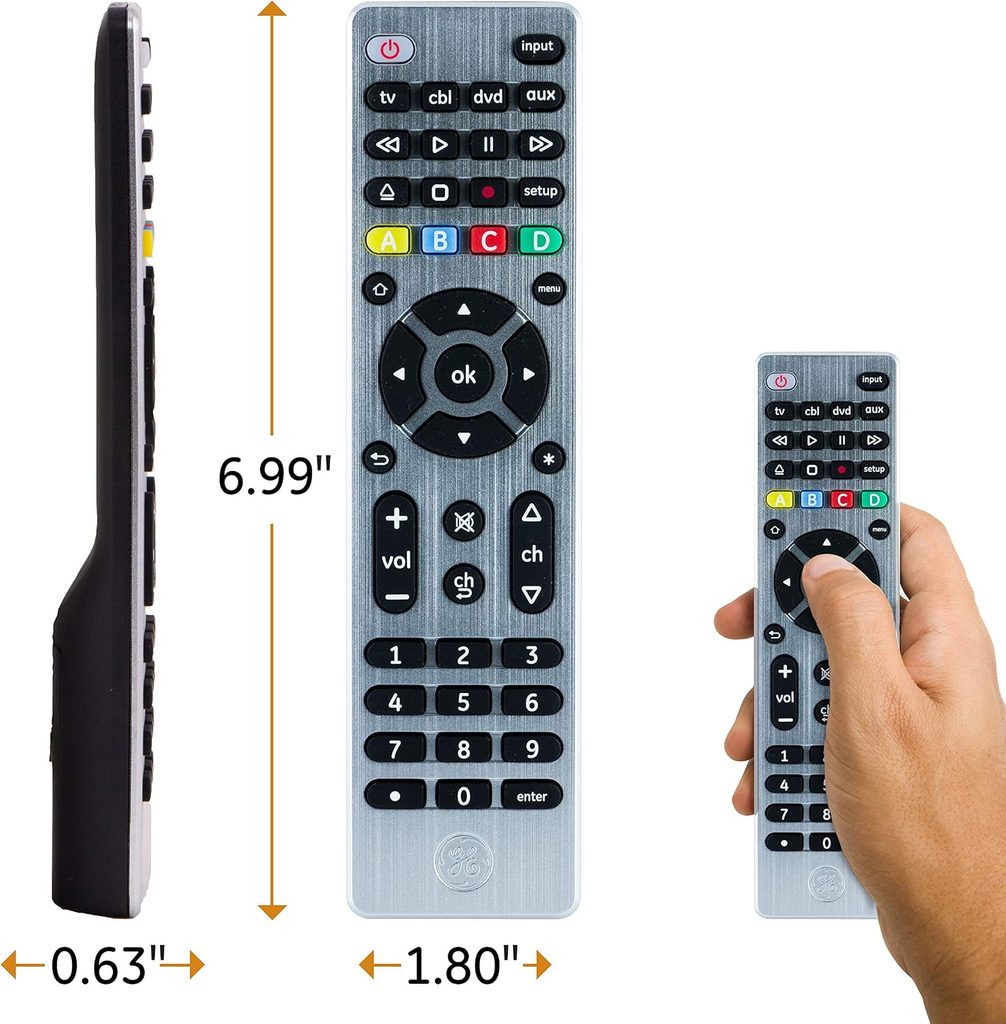
If your main goal is replacing a lost or damaged Samsung remote without spending much money, a GE 4-Device Universal Remote is a practical alternative.
This type of remote is designed around simplicity. Rather than offering OLED displays, extensive macros, or complicated app configuration, it provides dedicated controls for several devices.
Testing of GE’s four-device universal remote found it pre-programmed for Samsung TVs, with support for four devices.
That makes it a particularly attractive option for a basic setup.
For example, you could configure it for:
- Samsung TV
- Soundbar
- Cable box
- Blu-ray player
The exact capabilities depend on the specific GE model, so buyers should verify the model number and compatibility before purchasing.
The major advantage is ease of use. There is less to configure, fewer advanced menus to learn, and less dependence on a smartphone application.
Pros
- Affordable
- Samsung TV compatibility
- Supports up to four devices on supported models
- Simple button layout
- Good for basic entertainment setups
- Easy replacement for a lost remote
Cons
- Fewer advanced features
- No sophisticated activity-based control
- Limited device capacity
- Primarily designed around conventional IR control
- Exact compatibility varies by model
If you only need a replacement remote for your Samsung TV and a couple of other devices, spending more on an advanced universal controller may not provide much additional value.
Feature-by-Feature Comparison Table
Before choosing a universal remote, it helps to compare the features that actually affect everyday use. The table below focuses on compatibility, device capacity, setup, customization, and the type of Samsung TV user each remote suits best.
| Feature | SofaBaton U3 | One For All Streamer Remote | GE 4-Device Universal |
|---|---|---|---|
| Samsung TV Support | Yes | Yes | Yes |
| Device Capacity | Up to 15 | Up to 3–5 depending on model | Up to 4 |
| IR Control | Yes | Yes | Yes |
| Bluetooth | Supported Bluetooth LE | Model-dependent | Generally no |
| Wi-Fi Control | No | No | No |
| OLED/LCD Display | OLED | No | No |
| Backlighting | Yes on U3 variants | Available on some models | Available on some models |
| Programmable Buttons | Yes | Yes/model-dependent | Limited |
| Macros | Yes | Shortcuts/model-dependent | Limited |
| Smartphone Setup | Yes | App-supported models | Usually no |
| Best For | Full home theater | Streaming | Budget setups |
| Ease of Setup | Moderate | Easy–Moderate | Easy |
| Advanced Control | Excellent | Good | Basic |
| Overall Value | Excellent | Very Good | Excellent for budget users |
Quick Highlights Table
If you want the answer quickly, these are the three strongest use-case choices.
| Category | Best Choice | Why |
|---|---|---|
| Best Overall | SofaBaton U3 | Excellent compatibility and customization |
| Best for Streaming | One For All Streamer | Simple controls and streaming focus |
| Best Budget | GE 4-Device | Affordable and easy to configure |
| Best for Large Home Theater | SofaBaton U3 | Up to 15 devices |
| Best for Simple TV Setup | GE 4-Device | Straightforward operation |
| Best for Families | One For All Streamer | Simple, familiar controls |
| Best Advanced Features | SofaBaton U3 | OLED, macros and programmable buttons |
Buying Guide: What to Look for
Choosing the best universal remote for Samsung TV requires more than checking whether the word “Samsung” appears on the compatibility list.
1. Check Samsung TV Compatibility
The first requirement is obvious: the remote must support your Samsung TV.
Universal remotes typically work across many Samsung television generations, but advanced functions can vary. Basic power, volume, input, navigation, and menu commands are generally more important than obscure functions.
If you have a newer Samsung Smart TV, verify compatibility with your exact television model whenever possible.
2. Consider How Many Devices You Need
Don’t buy a 15-device remote if you only need to control your TV and soundbar.
Likewise, don’t buy a three- or four-device remote if your home theater includes six or seven components.
For a Samsung TV, soundbar, cable box, streaming player, and Blu-ray player, a four-device remote may be enough.
For a Samsung TV, AV receiver, Blu-ray player, cable box, streaming box, CD player, and additional components, the SofaBaton U3’s larger capacity becomes much more useful.
3. Understand IR, Bluetooth and Wi-Fi
This is one of the most important considerations.
Infrared (IR) is common and works well with many televisions, receivers, and older entertainment devices. However, it usually requires a reasonably clear path between the remote and the device.
Bluetooth can provide more flexibility because the remote doesn’t always need direct line-of-sight communication.
Wi-Fi and network control can be useful for smart-home and advanced entertainment equipment, but not every universal remote supports it.
The SofaBaton U3 supports IR and certain Bluetooth LE devices but does not support RF or Wi-Fi devices.
Therefore, always check the communication method used by your other devices.
4. Look for Backlighting
A backlit remote is surprisingly useful.
If you frequently watch movies with the room lights off, unlit buttons can be frustrating. You may have to turn on a lamp simply to locate volume or input controls.
For a home theater, backlighting is worth prioritizing.
5. Consider Macros
Macros can transform a universal remote from a simple replacement controller into a genuine home-theater tool.
For example, pressing one button could:
- Turn on your Samsung TV
- Turn on your soundbar
- Select HDMI 1
- Activate your streaming box
The SofaBaton U3 supports programmable macros and custom commands.
6. Think About Setup Difficulty
A sophisticated remote isn’t necessarily the best remote for everyone.
Advanced products can require a smartphone app, device databases, firmware updates, and custom button assignments.
If you want something that you can configure once and hand to another family member, a simpler remote may be better.
7. Examine the Button Layout
A remote should feel natural in your hand.
Look for:
- Large volume buttons
- Easy-to-find navigation controls
- Clearly labeled input controls
- Comfortable directional pad
- Dedicated power button
- Useful streaming shortcuts
- Logical button spacing
The best remote is the one you can use without constantly looking down.
Best Pick Based on Your Use Case
Best Overall: SofaBaton U3
Choose the U3 if you want to control a Samsung TV plus several additional home-theater components.
It offers the broadest combination of device capacity, customization, macros, display functionality, and compatibility in this comparison.
Best for Streaming: One For All Streamer
Choose One For All if your Samsung TV is primarily used for streaming and you want simple access to your most important functions.
It is especially appealing to households that don’t want to spend time programming an advanced remote.
Best Budget Choice: GE 4-Device
Choose GE if your primary concern is price.
For a Samsung TV with a soundbar and one or two additional devices, a four-device universal remote can provide everything you actually need.
Best for a Large Home Theater: SofaBaton U3
If your entertainment system includes numerous components, the U3’s ability to handle up to 15 devices gives it a clear advantage.
Best for Less Technical Users: One For All
A simpler button arrangement is often better for parents, children, guests, or anyone who doesn’t want to navigate device menus or configure complex macros.
Real-World Performance
In everyday use, the quality of a universal remote comes down to three things: response, reliability, and convenience.
The SofaBaton U3 performs particularly well when used with a conventional home-theater system. Independent testing found it highly versatile and reported smooth switching between multiple devices after configuration. Its OLED display helps identify which device is currently being controlled.
Its macro capability is another major advantage. Instead of pressing several buttons individually, users can combine multiple commands into a single action.
However, there is a trade-off: setup is more involved.
The U3’s companion app is used for most configuration and customization. SofaBaton states that the remote itself can be used without the app, but most settings require the iOS or Android application.
The One For All approach is different. Its simpler configuration is attractive when you mainly need TV and streaming controls.
A budget GE remote is even simpler. For basic infrared equipment, this can actually make it feel faster and more reliable because there are fewer features to configure.
Samsung TV Navigation
All three categories can be suitable for basic Samsung TV tasks such as power, volume, input, and navigation, provided the specific model is compatible.
The biggest difference appears when you add external devices.
A basic remote can become frustrating when it needs to control several components with different control methods. That’s where an advanced remote like the U3 becomes more valuable.
Safety & Protection
Universal remotes are low-risk consumer electronics, but a few simple practices can improve their lifespan.
Use the Correct Batteries
Always use the battery type recommended by the manufacturer.
Do not mix old and new batteries, and avoid mixing different battery types.
Remove Batteries During Long-Term Storage
If you won’t use the remote for a long period, removing the batteries can reduce the risk of leakage damaging internal components.
Keep the Remote Dry
Don’t leave it next to drinks or in areas where moisture can reach the buttons.
Liquid damage is one of the easiest ways to permanently damage a remote.
Avoid Extreme Temperatures
Keep the remote away from radiators, direct sunlight, and other high-temperature areas.
Protect the Buttons
Don’t press buttons harder than necessary. If a button isn’t responding, check the batteries or configuration rather than applying excessive force.
Keep Firmware and Apps Updated
For advanced remotes that use companion applications, periodic updates can improve compatibility and fix bugs.
Long-Term Reliability Tips
A good universal remote can last for years if it is maintained properly.
First, keep the remote clean. Dust and skin oils can accumulate around frequently used buttons. A soft, slightly damp microfiber cloth is usually enough for exterior cleaning. Avoid spraying liquid directly onto the remote.
Second, don’t leave the remote permanently buried underneath cushions. Physical pressure can damage buttons and the internal housing.
Third, keep track of your programming information. If you reset an advanced remote, having a record of your device configuration can save considerable time.
Fourth, replace batteries before they completely fail. Weak batteries can produce intermittent operation and may make you think the remote itself is defective.
For app-based remotes, keep the companion application installed on a compatible device and periodically check for updates.
Finally, verify compatibility before replacing a major component in your home theater. If you add a new streaming box or soundbar, the communication technology may be different from your existing devices.
This is particularly important with the SofaBaton U3 because its compatibility has defined limits for RF and Wi-Fi equipment.
Buying Recommendations
For most people, the buying decision is straightforward.
Choose the SofaBaton U3 if you want the most capable handheld universal remote for your Samsung TV and multiple entertainment devices. It provides the strongest balance of device capacity, customization, display functionality, macros, and compatibility.
Choose the One For All Streamer Remote if streaming is your primary activity and you want a simpler remote with essential Samsung TV and streaming controls.
Choose the GE 4-Device Universal Remote if affordability and simplicity matter more than advanced functionality.
Before purchasing, make a list of every device you want to control. Write down the exact Samsung TV model, soundbar model, streaming device, receiver, cable box, and other components.
Then check whether each device uses IR, Bluetooth, RF, or Wi-Fi.
This simple process can prevent one of the most common universal-remote mistakes: buying a remote that supports the TV but not the streaming device.
Final Verdict
The SofaBaton U3 is the best universal remote for Samsung TV for most users who want more than a basic replacement controller.
Its ability to handle up to 15 devices, large compatibility database, OLED display, programmable buttons, macros, and support for Samsung TVs make it a strong all-around option. Independent testing also ranked it highly among universal remotes for compatibility and operation.
However, “best” depends heavily on your setup.
A Samsung TV owner who only needs basic television and streaming control may be happier with a One For All Streamer Remote. Someone replacing a lost Samsung remote while controlling only a couple of additional components may have no reason to spend extra on a sophisticated controller.
The key is matching the remote to your equipment.
For advanced home theaters, choose SofaBaton U3.
For streaming-focused setups, choose One For All.
For a low-cost, straightforward solution, choose GE 4-Device.
FAQ Section
Q1: What is the best universal remote for Samsung TV?
Ans: The SofaBaton U3 is the best overall choice for Samsung TV owners who want to control multiple entertainment devices. It supports Samsung TVs, can manage up to 15 devices, and offers programmable buttons, macros, an OLED display, infrared control, and supported Bluetooth functionality.
Q2: Will a universal remote work with a Samsung Smart TV?
Ans: Yes. Many universal remotes support Samsung Smart TVs, particularly for common functions such as power, volume, input, navigation, and menu controls. However, advanced Smart TV functions may vary by remote and TV model, so checking exact compatibility is recommended.
Q3: Can a universal remote control a Samsung TV and soundbar?
Ans: Yes. Many universal remotes can control both a Samsung TV and soundbar. More advanced models can also assign volume controls to a particular audio device, while simpler models may offer only basic volume and mute functionality.
Q4: Is the SofaBaton U3 compatible with Samsung TVs?
Ans: Yes. SofaBaton specifically states that the U3 works with Samsung TVs and supports a large database of home-entertainment equipment.
Q5: Does the SofaBaton U3 support Wi-Fi devices?
Ans: No. The U3 does not support Wi-Fi or RF devices. It supports infrared and certain Bluetooth LE devices. This means you should check your streaming device’s control technology before purchasing.
Q6: Do I need an app to set up the SofaBaton U3?
Ans: The U3 can operate without downloading the app, but SofaBaton says most settings and customization functions are performed through its iOS or Android companion app.
Q7: What should I choose if I only need a replacement remote for my Samsung TV?
Ans: A basic GE or One For All universal remote is likely the better choice if you only need basic Samsung TV controls. There is little benefit in paying for advanced features such as large device capacity and extensive macros when your setup is simple.
Short Conclusion
The best universal remote for Samsung TV depends on how much control you need. The SofaBaton U3 is the strongest overall choice for multi-device home theaters because of its broad compatibility, 15-device capacity, OLED display, programmable buttons, and macros. The One For All Streamer Remote is better for streaming-focused users who want simplicity, while the GE 4-Device Universal Remote is a practical budget option for basic setups.
Before buying, check your Samsung TV model and every other device you want to control. Pay particular attention to whether your equipment uses IR, Bluetooth, RF, or Wi-Fi. With the right match, a universal remote can eliminate remote clutter and make your Samsung TV setup much easier to use every day.


