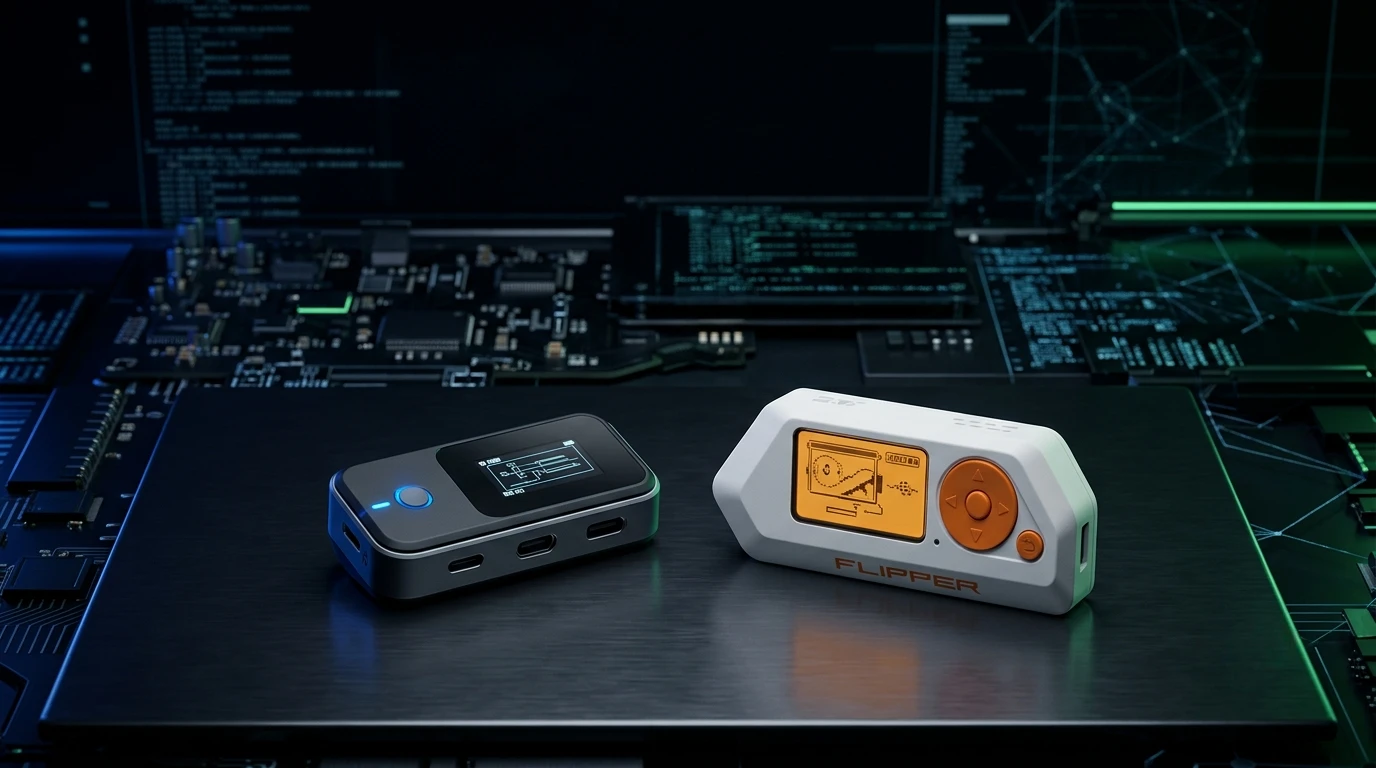
The Kode Dot vs Flipper Zero comparison is becoming increasingly interesting for makers, developers, cybersecurity enthusiasts, and hardware tinkerers looking for a pocket-sized device with powerful wireless and development capabilities. While both devices occupy a similar space, they are designed around noticeably different priorities. The Flipper Zero is an established multi-tool with built-in Sub-GHz, NFC, RFID, infrared, Bluetooth Low Energy, iButton, GPIO, and a large software ecosystem. Kode Dot takes a more development-focused approach, combining a much more powerful ESP32-P4 platform with a high-resolution touch AMOLED display, large memory capacity, wireless connectivity, sensors, and extensive hardware expansion.
That difference makes the choice less straightforward than simply comparing specifications. Flipper Zero has been shipping for years and has a mature community and application ecosystem, while Kode Dot is positioned more like a pocket development platform. Kode Dot is currently a pre-order product with planned batches later in 2026, whereas Flipper Zero is already an established product.
In this Kode Dot vs Flipper Zero comparison, we’ll examine their hardware, wireless capabilities, displays, programming, expansion, software ecosystem, portability, pricing, and practical use cases to help you understand which device fits your particular needs.
Feature-by-Feature Comparison Table
Before looking at individual strengths and weaknesses, the table below gives you a quick overview of how the two devices differ across their most important features.
| Feature | Kode Dot | Flipper Zero |
| Main Focus | Development & hardware prototyping | Portable cybersecurity/multi-tool |
| Processor | ESP32-P4, dual-core RISC-V up to 400 MHz | STM32WB55RG |
| Application Memory | 32 MB PSRAM | 256 KB SRAM on chip |
| Flash | 32 MB | 1 MB on chip |
| Display | 2.13-inch AMOLED, 502 × 410 | 1.4-inch monochrome, 128 × 64 |
| Touchscreen | Yes | No |
| Sub-GHz | Add-on module | Built in |
| NFC | Yes | Yes |
| 125 kHz RFID | Yes | Yes |
| Infrared | Yes | Yes |
| Bluetooth | Not published as a base feature | BLE 5.4 |
| Wi-Fi | 2.4/5 GHz connectivity | Requires Wi-Fi Devboard |
| iButton | No | Yes |
| GPIO | 20-pin header, 14 programmable GPIO | 18-pin header, 13 user I/O |
| Camera | Supported/mountable | No |
| Microphone | Yes | No |
| Speaker | Yes | Buzzer |
| IMU | 9-axis | No comparable sensor listed |
| microSD | Yes | Yes |
| Community Ecosystem | New/emerging | Large and mature |
| App Ecosystem | Early-stage | Hundreds of apps |
| Battery | LiPo; capacity not yet published | 2,100 mAh LiPo |
| Availability | Pre-order | Established/in stock |
| Base Price | From €169 in EU/UK | $199 US / €219 EU |
| Best For | Developers and makers | Multi-tool and wireless experimentation |
The biggest takeaway is that these aren’t simply two identical devices competing with different brands. Their hardware philosophies are substantially different. Kode Dot puts significantly more computing and development hardware into the device, while Flipper Zero focuses on a mature collection of hardware interfaces and a well-developed software ecosystem.
Quick Highlights Table
If you don’t want to read the entire comparison, these highlights summarize the most important differences.
| Category | Kode Dot | Flipper Zero |
| Performance | Higher | Good for its purpose |
| Display | AMOLED Touchscreen | Monochrome LCD |
| Sub-GHz | Add-on | Built in |
| NFC/RFID | Yes | Yes |
| iButton | No | Yes |
| Wi-Fi | Built in | Optional Devboard |
| Hardware Development | Excellent | Good |
| App Ecosystem | Developing | Very mature |
| Community | Newer | Large |
| Embedded Development | Excellent | Good |
| Portability | Pocket-sized | Pocket-sized |
| Availability | Pre-order | Established |
| Best for Beginners | Depends on goal | Multi-tool users |
| Best for Developers | Kode Dot | Good |
| Best for Existing Flipper Owners | Complementary | Established platform |
Key Takeaways
The Kode Dot vs Flipper Zero comparison becomes much clearer when you focus on what you actually want to accomplish.

- Flipper Zero has the more mature ecosystem. It has been available since 2022 and has a large user community and extensive application library.
- Kode Dot has substantially more computing resources. Its ESP32-P4 platform includes up to 400 MHz dual-core processing and 32 MB of PSRAM.
- Flipper Zero has Sub-GHz built in. This is one of its biggest practical advantages.
- Kode Dot requires an additional module for Sub-GHz functionality.
- Kode Dot has the more advanced display, using a 2.13-inch 502 × 410 AMOLED touchscreen.
- Flipper Zero uses a simple 1.4-inch 128 × 64 monochrome LCD.
- Flipper Zero supports iButton, while Kode Dot does not currently include a comparable interface.
- Kode Dot is more interesting for embedded development, thanks to its processor, memory, sensors, connectivity, and expansion options.
- Flipper Zero has a much more mature application ecosystem.
- Kode Dot should be viewed as a development platform as much as a pocket multi-tool.
Pros & Cons of Kode Dot vs Flipper Zero
Understanding the pros and cons is particularly important in a Kode Dot vs Flipper Zero comparison because neither device is designed to completely replace the other.
Kode Dot Pros
- Powerful ESP32-P4 processor
- 32 MB PSRAM
- 32 MB flash
- High-resolution AMOLED display
- Capacitive touchscreen
- Built-in Wi-Fi connectivity
- NFC and RFID capabilities
- Infrared support
- 9-axis motion sensing
- Microphone and speaker
- Camera support
- Extensive GPIO expansion
- Designed with embedded development in mind
- USB-C and development/debugging capabilities
- More suitable for sophisticated custom applications
Kode Dot Cons
- Newer platform with a smaller ecosystem
- Pre-order availability
- Sub-GHz functionality requires an additional module
- iButton is not supported
- Battery capacity was not published at the time of the comparison
- Smaller application library
- Less community experience compared with Flipper Zero
Flipper Zero Pros
- Mature product with years of availability
- Sub-GHz built into the device
- NFC built in
- 125 kHz RFID support
- Infrared functionality
- iButton support
- Bluetooth Low Energy
- Large community
- Extensive application ecosystem
- Community firmware options
- microSD expansion
- Simple and efficient interface
- Strong documentation and established development tools
Flipper Zero Cons
- Much less powerful processor
- Limited onboard application memory
- Small monochrome display
- No touchscreen
- Wi-Fi requires an additional development board
- Less suitable for demanding standalone applications
- Hardware platform is more constrained for complex graphical projects
Hardware and Processing Power
One of the largest differences in the Kode Dot vs Flipper Zero battle is processing hardware.
Kode Dot uses an ESP32-P4, a dual-core RISC-V processor capable of operating at up to 400 MHz. It also provides 32 MB of PSRAM and 32 MB of flash storage. That gives developers significantly more room for graphical applications, connected devices, sensors, and larger software projects.
Flipper Zero uses the STM32WB55RG, featuring a 64 MHz Cortex-M4 application processor alongside a separate radio core. Its onboard memory resources are considerably smaller. That isn’t necessarily a disadvantage for Flipper’s intended applications because the platform is specifically designed around lightweight applications and a compact operating environment.
However, if you’re planning to create demanding graphical interfaces, sensor applications, connected projects, or more complicated embedded software, Kode Dot’s hardware gives developers considerably more headroom.
Display and User Interface
The display difference is immediately obvious.
Kode Dot features a 2.13-inch AMOLED display with 502 × 410 resolution and capacitive touch input. This gives it a much more modern smartphone-like interface and provides developers with considerably more graphical possibilities.
Flipper Zero uses a 1.4-inch monochrome 128 × 64 LCD. It isn’t intended to compete with a smartphone display. Instead, the simple screen helps maintain the device’s low-power, compact, functional design.
For basic menus, remote controls, RFID tools, and small utilities, Flipper’s display is perfectly functional.
For graphical applications, dashboards, touch interfaces, camera projects, and interactive development tools, Kode Dot has a much more capable display.
Wireless and Radio Features
Wireless capability is one of the most important areas in this comparison.
Flipper Zero includes Sub-GHz functionality directly in the main device. Its specifications include RF operation, 125 kHz RFID, 13.56 MHz NFC, infrared, and BLE connectivity.
Kode Dot takes a different approach. Its base hardware provides modern connectivity through its wireless platform, including 2.4 GHz and 5 GHz Wi-Fi and technologies such as Matter, Zigbee, Thread, and ESP-NOW. Its separate hacking module is intended to add additional wireless capabilities, including Sub-GHz and more advanced Wi-Fi functionality.
This distinction matters.
If you specifically want a device with Sub-GHz capability without buying another module, Flipper Zero has an important hardware advantage.
If you’re more interested in modern Wi-Fi-connected embedded development, IoT projects, and custom applications, Kode Dot offers a broader development-oriented platform.
NFC and RFID
Both devices support NFC and RFID-related experimentation.
Flipper Zero includes a 125 kHz RFID interface and a 13.56 MHz NFC interface. Its documentation provides extensive information about supported technologies and applications.
Kode Dot also incorporates NFC and 125 kHz RFID hardware. However, because the platform is newer, its supported-card documentation and community-developed software ecosystem are not as mature.
For someone buying primarily for established RFID and NFC workflows, Flipper Zero currently has the benefit of years of development and community experience.
For someone building their own NFC/RFID applications, Kode Dot’s stronger computing platform could become more interesting as its software ecosystem grows.
Infrared Features
Both devices include infrared functionality.
Flipper Zero can capture and transmit infrared signals and has built-in IR hardware designed for remote-control applications.
Kode Dot also includes an IR transceiver, making it capable of being used for infrared projects and custom applications.
The difference again comes down to ecosystem versus development potential.
Flipper has years of software and community experience behind its infrared tools.
Kode Dot gives developers more processing and graphical resources for building customized interfaces around infrared hardware.
GPIO and Hardware Expansion
This is another category where Kode Dot becomes particularly interesting.
Kode Dot provides a 20-pin expansion header with 14 programmable GPIO pins, along with power rails intended for external hardware. It also includes a magnetic pogo connector that can provide additional functionality.
Flipper Zero provides an 18-pin GPIO header with 13 user I/O connections, supporting interfaces such as GPIO, UART, SPI, I2C, ADC, SWD, and 1-Wire.
On paper, the numbers are relatively close.
The bigger difference is the philosophy.
Flipper’s GPIO ecosystem has already produced a large number of community projects, applications, and hardware accessories.
Kode Dot’s more powerful processor and higher power capability could make it more attractive for sophisticated hardware prototypes, especially projects involving motors, displays, sensors, cameras, and connected devices.
Sensors, Camera, Audio, and Development Hardware
Kode Dot has a major advantage if you want to build interactive embedded projects.
Its hardware includes a 9-axis IMU, microphone, speaker, haptic hardware, RGB LED, RTC, and camera support.
That creates opportunities for projects involving:
- Motion control
- Voice interfaces
- Audio applications
- Camera-based projects
- Interactive dashboards
- Wearable-style experiments
- Robotics
- IoT prototypes
- Sensor monitoring
- Custom user interfaces
Flipper Zero is much simpler. It has a vibration motor and buzzer but doesn’t attempt to provide the same collection of multimedia and sensor hardware.
This is one of the clearest reasons to choose Kode Dot if you’re primarily a developer or maker.
Software and App Ecosystem
This is where Flipper Zero currently has one of its strongest advantages.
Flipper Zero has a mature application ecosystem, official tools, community firmware, documentation, and a large user base. The Kode Dot comparison published by its manufacturer reported hundreds of applications for Flipper Zero compared with a much smaller initial Kode Dot application catalog.
This difference shouldn’t be underestimated.
Hardware specifications tell only part of the story. A device becomes significantly more useful when you can download an application, find documentation, ask the community a question, and discover someone who has already built the project you’re attempting.
Flipper Zero has years of accumulated community knowledge.
Kode Dot is newer, so developers considering it should expect a growing rather than mature ecosystem.
Programming and Development
For software developers, Kode Dot is arguably the more interesting platform from a hardware-development perspective.
Its ESP32-P4 architecture and ESP-IDF environment are closely connected to the broader ESP32 development ecosystem. The combination of large memory capacity, modern connectivity, touchscreen graphics, sensors, and expansion hardware makes it suitable for larger embedded projects.
Flipper Zero uses FreeRTOS and C with its own development framework, and it also provides JavaScript-based application possibilities. Its SDK has had years to mature alongside the hardware and community.
Therefore, the choice depends heavily on what you want to learn.
If you want to learn general ESP32 development and build more ambitious connected hardware projects, Kode Dot is compelling.
If you want to develop specifically for the Flipper ecosystem and build compact security-oriented utilities, Flipper Zero offers the more established environment.
Battery and Portability
Both devices are designed to be portable.
Flipper Zero uses a 2,100 mAh LiPo battery and has been designed around relatively low-power hardware. Flipper states long battery endurance under its published conditions.
Kode Dot also uses a LiPo battery and includes dedicated power-management hardware, including per-peripheral power management. However, its battery capacity and final real-world endurance should be considered an area to verify against the manufacturer’s latest specifications as the production device becomes available.
The AMOLED screen, faster processor, additional wireless hardware, camera, audio components, and sensors can potentially create greater power demands than Flipper’s simpler monochrome design.
So don’t automatically interpret Kode Dot’s larger hardware capabilities as meaning longer battery life.
Availability and Pricing
Availability is an important consideration in the Kode Dot vs Flipper Zero comparison.
As of the information checked for this comparison, Kode Dot was a pre-order product with planned EU/UK and US batches later in 2026. Its listed European/UK starting price was €169, although additional hardware such as the hacking module can change the overall cost.
Flipper Zero is an established product with a listed price of $199 in the US and €219 in the EU on its official store.
The important point is that comparing only the starting prices isn’t enough.
If you need Sub-GHz on Kode Dot, you’ll need to account for the additional module. Conversely, if you need Wi-Fi capabilities on Flipper Zero, an additional Wi-Fi development board may be required.
Always compare the complete configuration needed for your specific project rather than simply comparing the base-device prices.
Buying Recommendations
Choose Kode Dot If You Are a Developer
Kode Dot makes the most sense if your main objective is building software and hardware projects.
Its powerful processor, larger memory, touchscreen, sensors, audio hardware, wireless connectivity, and GPIO expansion provide a strong foundation for experimentation.
It’s particularly interesting for developers who want something more capable than a traditional microcontroller development board but smaller and more interactive than a desktop development setup.
Choose Flipper Zero If You Want an Established Multi-Tool
Flipper Zero is the more established option if your goal is a ready-to-use pocket multi-tool.
Its combination of Sub-GHz, NFC, RFID, infrared, iButton, Bluetooth, GPIO, microSD, and mature software support makes it extremely versatile.
The large community is another major benefit because finding guides, applications, accessories, and troubleshooting information is easier.
Choose Kode Dot for Hardware Prototyping
If you’re interested in robotics, IoT, sensor projects, interactive devices, or custom interfaces, Kode Dot deserves serious consideration.
Its hardware is built around the idea of giving developers more resources to experiment.
Choose Flipper Zero for the Existing Ecosystem
If you value community projects and established software more than raw hardware specifications, Flipper Zero’s ecosystem is a major factor.
A mature platform can sometimes be more useful than a more powerful platform with fewer applications.
Consider Both for Different Projects
You don’t necessarily have to treat the Kode Dot vs Flipper Zero comparison as an either/or decision.
They can serve different roles.
Flipper Zero can remain your established pocket multi-tool while Kode Dot becomes your development and prototyping platform.
Final Verdict
The Kode Dot vs Flipper Zero comparison reveals two devices with overlapping capabilities but different priorities.
Flipper Zero is built around an established pocket multi-tool experience. It provides Sub-GHz, NFC, RFID, infrared, iButton, Bluetooth, GPIO, and a mature software ecosystem in a compact package. Its greatest advantage isn’t simply the hardware; it’s the combination of hardware, software, documentation, community, and years of real-world availability.
Kode Dot is more development-oriented. Its ESP32-P4 processor, 32 MB PSRAM, AMOLED touchscreen, Wi-Fi, sensors, audio hardware, camera support, and expansion capabilities make it much more interesting for custom embedded projects.
The right choice therefore depends on your priorities.
If you want an established multi-tool with built-in Sub-GHz and a mature ecosystem, Flipper Zero provides that experience.
If you’re more interested in programming, hardware prototyping, touchscreen applications, sensors, connected devices, and custom embedded development, Kode Dot offers a very different proposition.
Rather than viewing one as a universal replacement for the other, it’s more accurate to see them as two pocket devices approaching the same enthusiast market from different directions.
FAQs about Kode Dot and Flipper Zero
Q1: Is Kode Dot better than Flipper Zero?
Ans: Kode Dot and Flipper Zero are designed with different priorities. Kode Dot focuses more heavily on embedded development, powerful processing, touchscreen applications, sensors, and hardware prototyping. Flipper Zero focuses on an established multi-tool experience with Sub-GHz, NFC, RFID, infrared, iButton, Bluetooth, GPIO, and a mature software ecosystem. The better fit depends on which capabilities matter most for your projects.
Q2: Does Kode Dot have Sub-GHz?
Ans: The base Kode Dot does not include Sub-GHz hardware. The manufacturer has described a separate hacking module that adds Sub-GHz functionality. Flipper Zero includes Sub-GHz hardware in the base device, making it more straightforward if Sub-GHz functionality is one of your primary requirements.
Q3: Does Kode Dot have Wi-Fi?
Ans: Yes. Kode Dot’s hardware includes Wi-Fi connectivity through its wireless platform, including 2.4 GHz and 5 GHz capabilities. It also supports technologies such as Matter, Zigbee, Thread, and ESP-NOW. Flipper Zero does not include Wi-Fi in the base device and uses an optional development board for Wi-Fi projects.
Q4: Can Kode Dot replace Flipper Zero?
Ans: Kode Dot can overlap with some Flipper Zero functions, including NFC, RFID, infrared, GPIO, and various development projects. However, it does not currently provide the same combination of built-in Sub-GHz, iButton support, and mature software ecosystem. For many existing Flipper Zero workflows, Kode Dot should not be considered a direct one-for-one replacement.
Q5: Which has the better display, Kode Dot or Flipper Zero?
Ans: Kode Dot has the more advanced display hardware. It uses a 2.13-inch 502 × 410 AMOLED touchscreen. Flipper Zero uses a 1.4-inch 128 × 64 monochrome LCD. The Kode Dot display is therefore much better suited to graphical interfaces, touch applications, and multimedia-oriented projects.
Q6: Which is better for programming, Kode Dot or Flipper Zero?
Ans: Kode Dot has stronger hardware resources for demanding embedded development, including its ESP32-P4 processor, 32 MB PSRAM, touchscreen, sensors, wireless connectivity, and peripherals. Flipper Zero, however, has a significantly more mature SDK and application ecosystem. Developers should therefore consider whether they prioritize raw development hardware or an established software platform.
Q7: Is Kode Dot cheaper than Flipper Zero?
Ans: Kode Dot has a lower advertised starting price in the European/UK market, beginning at €169 for the standard model according to the manufacturer’s comparison information. Flipper Zero is listed at €219 in the EU and $199 in the US. However, Kode Dot’s additional hacking module is sold separately, so the final price depends on which capabilities you need.
Short Conclusion
The Kode Dot vs Flipper Zero debate ultimately comes down to two different approaches. Flipper Zero is an established pocket multi-tool with an impressive collection of wireless interfaces and a mature community. Kode Dot takes a more development-focused approach, offering significantly more processing power, memory, display technology, connectivity, sensors, and expansion potential. If you want a proven multi-tool ecosystem, Flipper Zero is the established platform. If your priority is creating custom embedded projects and experimenting with more powerful hardware, Kode Dot offers a compelling alternative.