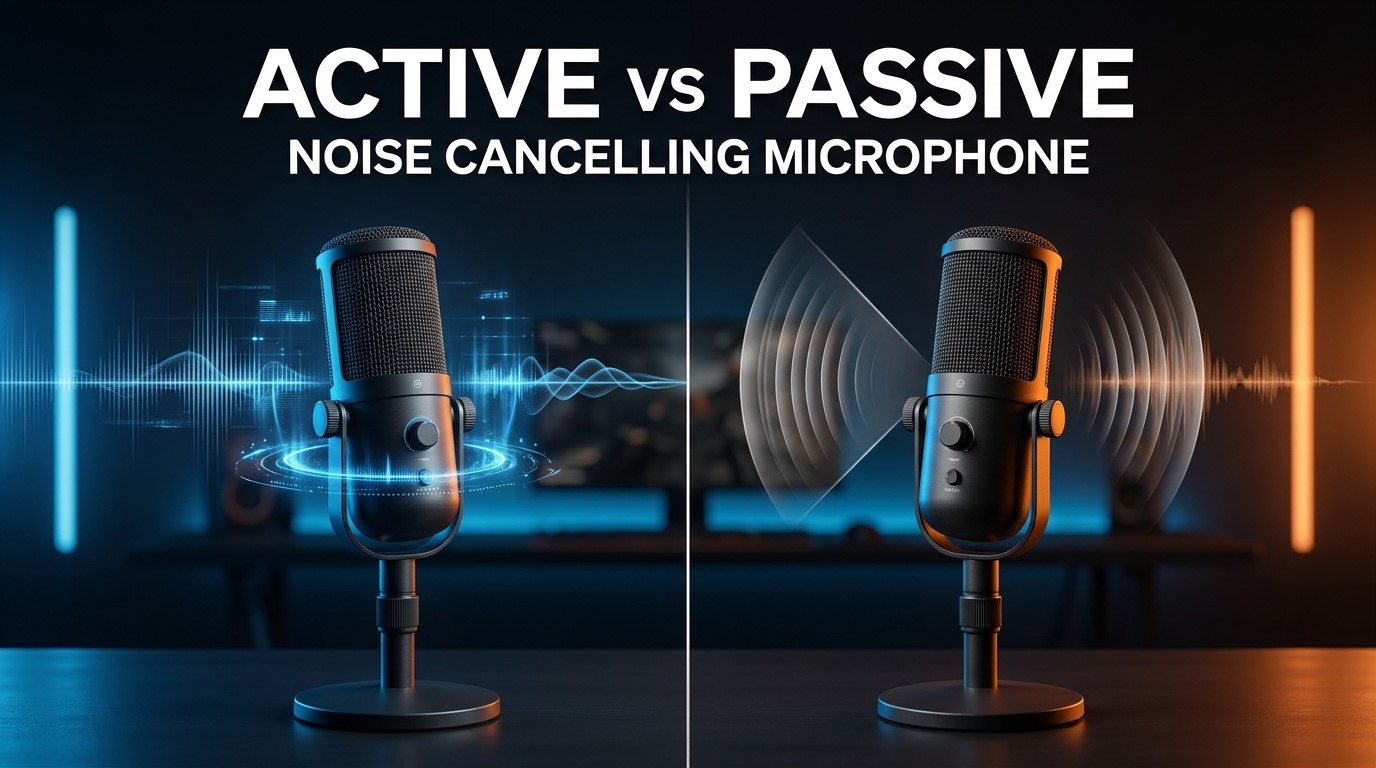
Choosing between an active vs passive noise cancelling microphone can make a noticeable difference in how clearly people hear you during calls, gaming sessions, online meetings, and recordings. Although both technologies aim to reduce unwanted background noise, they work differently and deliver different results depending on your environment. Active noise cancellation uses electronic processing and, in some systems, additional microphones to analyze unwanted sound and reduce it through signal processing. Passive noise cancellation relies primarily on physical design, microphone placement, directional pickup patterns, and acoustic isolation to minimize unwanted sounds before or during recording.
Understanding these differences is especially important if you frequently work in a busy office, play games in a noisy room, attend virtual meetings from home, or create online content. The right microphone can help your voice stand out without requiring you to repeat yourself constantly. In this guide, we compare active and passive noise cancelling microphones across performance, sound quality, convenience, compatibility, and cost. You will also learn which technology makes the most sense for your specific needs and budget.
Feature-by-Feature Comparison
Active and passive noise cancelling microphones share the same goal: making your voice easier to understand. However, their methods of reducing unwanted sound differ significantly. The following table highlights the most important differences to consider before buying a microphone or headset.
| Feature | Active Noise Cancelling Microphone | Passive Noise Cancelling Microphone |
|---|---|---|
| Working principle | Uses electronic processing to reduce unwanted sound in the captured signal | Relies on microphone directionality, placement, acoustic design, and physical isolation |
| Noise reduction method | Digital signal processing or other active electronic techniques | Physical design and acoustic pickup characteristics |
| Background noise | Can reduce selected background sounds when properly implemented | Can reject sounds outside the microphone’s preferred pickup area |
| Voice clarity | Can improve intelligibility when processing is well tuned | Can deliver natural, clear speech with good placement and a suitable pickup pattern |
| Constant background noise | May reduce steady noise such as fans or air-conditioning | May reject some noise through directionality and distance, but effectiveness depends on the setup |
| Sudden sounds | May reduce some transients, depending on processing | Usually captures sudden sounds if they reach the microphone clearly |
| Keyboard noise | Software may reduce keyboard sounds, but results vary | A directional microphone positioned close to the mouth may reduce their relative level |
| Wind noise | Requires suitable wind protection and processing | Benefits from a windscreen, pop filter, and appropriate microphone design |
| Voice naturalness | Can sound natural, but aggressive processing may create artifacts | Often sounds natural when the microphone and recording environment are suitable |
| Latency | Processing may add latency, depending on the system | Usually has minimal processing latency |
| Power requirements | Electronic processing may require power or system resources | The passive noise-rejection principle itself requires no additional processing power |
| Software dependency | May require dedicated software, compatible hardware, or DSP | Basic passive rejection generally works without special software |
| Setup complexity | Can require configuration and adjustment | Often straightforward, although positioning remains important |
| Cost | Can cost more when advanced processing is included | Available across a wide range of prices |
| Best use cases | Noisy calls, conferencing systems, and headsets with effective voice-processing features | Gaming, streaming, office calls, and recording with appropriate microphone placement |
One important distinction is that active noise cancellation in headphones is not necessarily the same as noise reduction in a microphone’s outgoing voice signal. Headphone ANC primarily reduces sound reaching your ears. Microphone noise suppression attempts to reduce background sounds heard by the person on the other end of a call.
Quick Highlights: Active vs Passive Microphone
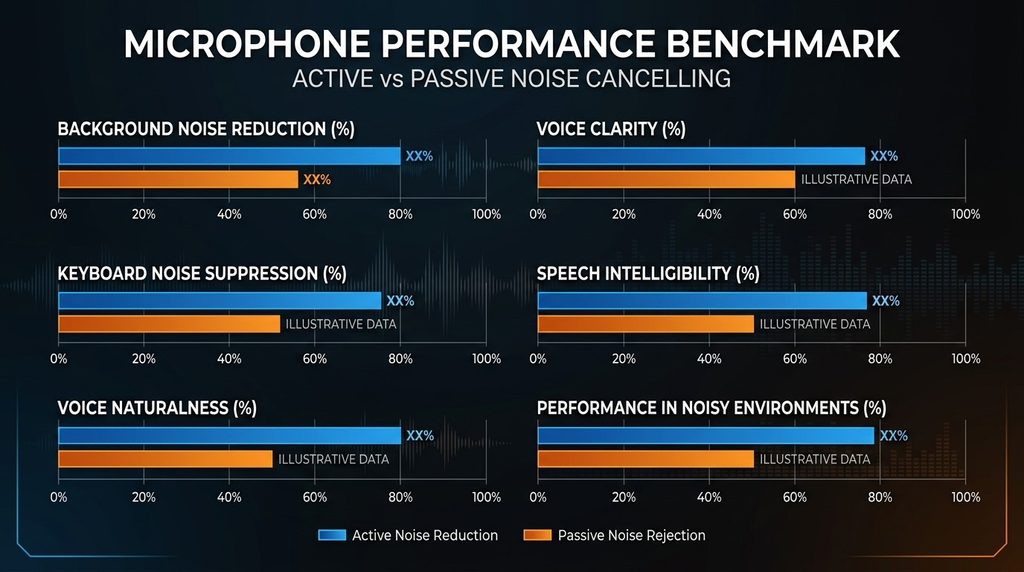
If you want the main differences without reading every technical detail, this quick comparison provides a useful starting point.
| Category | Active | Passive |
|---|---|---|
| Main advantage | Can suppress background noise through processing | Can reject unwanted sound through physical design and placement |
| Best environment | Noisy environments when processing is effective | Quiet to moderately noisy environments with good positioning |
| Voice quality | Depends on processing quality and settings | Depends on microphone quality, acoustics, and placement |
| Ease of use | May require software configuration | Usually simple to use |
| Resource requirements | May require DSP, power, or computer processing | No extra processing resources for passive rejection |
| Common limitation | Can distort or suppress parts of speech if poorly tuned | Cannot electronically remove all background noise |
| Gaming suitability | Useful for noisy rooms and communication-focused headsets | Excellent when the microphone is close to the mouth |
| Work-from-home suitability | Helpful for shared spaces and busy environments | Effective with a quiet room and a directional microphone |
| Streaming suitability | Useful for live noise suppression | Excellent when combined with acoustic treatment and careful placement |
| Budget considerations | Advanced processing can increase cost | Often offers strong value without complex processing |
The best choice is not determined by the label alone. A well-designed passive microphone can outperform a poorly implemented active noise reduction system, while sophisticated digital processing can make a microphone more practical in a noisy room. Always evaluate the complete product rather than relying exclusively on marketing terminology.
Key Takeaways
Before choosing between an active vs passive noise cancelling microphone, remember that noise reduction is only one part of microphone performance. Pickup pattern, microphone distance, room acoustics, and voice-processing quality all influence the final result.
Here are the most important points to remember:
- Active noise reduction is processing-based: It can reduce unwanted background sounds using digital algorithms or dedicated electronic processing.
- Passive noise rejection depends on design: Directional pickup patterns, microphone placement, and physical acoustic features help limit unwanted sounds.
- Microphone ANC and headphone ANC are different: A headset may cancel noise for your ears without providing equally effective noise reduction for your outgoing voice.
- Positioning makes a major difference: Keeping a boom microphone close to your mouth often improves the voice-to-background-noise ratio.
- Software can help, but it is not magic: Noise suppression can reduce fans, keyboard sounds, and other distractions, but aggressive settings may damage speech quality.
- Passive microphones can be excellent for gaming: A properly positioned headset microphone can capture clear speech without requiring complicated configuration.
- Active processing is useful in challenging environments: It can be particularly valuable when moving to a quieter room is not possible.
- The best option depends on your budget and environment: Consider real-world voice samples and performance tests instead of paying extra for a feature name alone.
Ultimately, a good microphone should make your voice clear, consistent, and natural. Noise cancellation should support that goal rather than become the only feature you consider.
Pros & Cons of Active vs Passive Noise Cancelling Microphone
Comparing the advantages and disadvantages of an active vs passive noise cancelling microphone helps you determine which approach suits your daily communication needs. Both technologies can produce excellent results, but each has limitations that become more noticeable in certain environments.
Active Noise Cancelling Microphone: Pros and Cons
Active noise reduction is attractive to people who frequently communicate in environments with distracting background sounds. Depending on the implementation, it can help keep voices intelligible even when the surrounding environment is less than ideal.
Pros
- Reduces background noise electronically: Well-designed processing can suppress steady environmental sounds and some irregular distractions.
- Useful for busy environments: It can improve calls from shared offices, busy homes, and rooms with constant equipment noise.
- Can adapt to different noise conditions: Some systems dynamically adjust suppression according to the incoming audio.
- Improves communication in suitable setups: By reducing distracting sounds, processing can help listeners focus on the speaker.
- Can work with multiple microphone designs: Noise suppression may be integrated into gaming headsets, conferencing devices, USB microphones, and communication software.
- Offers convenient software controls: Some products let users adjust suppression strength or select different noise reduction modes.
Cons
- Processing quality varies: Cheap or poorly configured systems may deliver disappointing results.
- Speech can sound artificial: Excessive suppression can make voices sound muffled, metallic, robotic, or uneven.
- May require additional resources: Some implementations depend on dedicated hardware, power, software, or computer processing.
- Not all background noise disappears: Loud nearby sounds may remain audible even with advanced processing.
- Can introduce artifacts: Strong algorithms sometimes remove quiet syllables, word endings, breaths, or other speech details.
- Marketing claims can be confusing: A product advertised with active noise cancellation may refer to headphone playback rather than microphone transmission.
Active noise reduction is worth considering if you cannot consistently control your environment. However, prioritize natural voice reproduction and intelligibility over the strongest possible suppression setting.
Passive Noise Cancelling Microphone: Pros and Cons
Passive noise rejection is a practical choice for people who want dependable voice capture without relying entirely on software. A microphone’s pickup pattern and position can significantly influence how much background noise enters the recording.
Pros
- Simple operation: Basic passive noise rejection does not require special noise suppression software.
- Natural voice reproduction: A good microphone can capture speech without introducing digital processing artifacts.
- Minimal processing latency: The passive rejection principle itself does not add digital processing delay.
- Wide price range: Affordable headsets and professional microphones can both benefit from directional pickup.
- Reliable everyday performance: The physical microphone design continues working without needing noise reduction settings.
- Excellent results with proper placement: Positioning the microphone close to your mouth and away from noisy equipment can improve clarity substantially.
Cons
- Limited ability to remove surrounding noise: Sounds that reach the microphone can still be captured, even when the pickup pattern is directional.
- Placement is critical: Moving the microphone too far away from your mouth can make your voice quieter relative to the background.
- Room acoustics still matter: Echoes and reflections can affect recordings, especially in rooms with hard surfaces.
- Sudden noises may remain audible: Keyboard clicks, door slams, and nearby conversations can still enter the recording.
- Physical design has limitations: Directional microphones cannot perfectly reject every sound from every angle.
- May need accessories: A windscreen, pop filter, shock mount, or acoustic treatment can improve performance in particular situations.
Passive noise rejection is especially appealing if you value simplicity and natural sound. Nevertheless, it works best when you combine a suitable microphone with sensible positioning and a reasonably controlled recording environment.
Buying Recommendations: Which Microphone Should You Choose?
The right choice between an active vs passive noise cancelling microphone depends on where you use it, what you do, and how much background noise you need to control. Instead of assuming that one technology is universally superior, consider the following recommendations.
1. Best for Gaming
For gaming, choose a headset with a good boom microphone, effective directional pickup, and optional noise suppression if your surroundings are noisy.
A passive microphone can be more than sufficient when it sits close to your mouth. This positioning makes your speech louder relative to sounds coming from your keyboard, PC fans, and room.
If you regularly play in a shared room, a headset with effective microphone noise suppression may offer an advantage. It can help reduce distractions during multiplayer matches, voice chats, and competitive sessions.
Buying recommendation: Prioritize microphone placement, clear voice reproduction, comfort, and adjustable microphone monitoring. Treat noise suppression as a useful extra rather than the only deciding factor.
2. Best for Work-from-Home Meetings
Remote workers often deal with unpredictable noise from family members, traffic, fans, appliances, and neighboring rooms.
In these circumstances, a headset or conferencing microphone with effective electronic noise suppression can be especially useful. Some meeting applications also provide noise reduction, meaning you may not need to buy a microphone with advanced built-in processing.
However, if you work in a relatively quiet room, a conventional directional microphone can deliver excellent results with less configuration.
Buying recommendation: Choose a business headset or USB microphone that produces clear speech during real video calls. Check compatibility with your meeting applications and whether noise suppression is handled by the microphone, operating system, or conferencing software.
3. Best for Streaming and Content Creation
Streamers and content creators need more than background noise reduction. They also need consistent tone, clear articulation, low handling noise, and a natural sound that remains pleasant during longer recordings.
A quality dynamic microphone with a suitable directional pickup pattern is often a practical choice for untreated rooms. Dynamic microphones are not automatically better at rejecting noise than every condenser microphone, but close positioning and a suitable pickup pattern can make them effective.
Software suppression can provide another layer of control for keyboard clicks, computer fans, and other distractions. Use it carefully, because excessive processing can make a voice sound unnatural.
Buying recommendation: Prioritize microphone sound quality, adjustable positioning, and compatibility with your recording software. Consider noise suppression as a finishing tool rather than a substitute for good recording technique.
4. Best for Noisy Offices
If you regularly take calls in a busy office, shared workspace, or public area, a microphone with effective voice-focused noise suppression can be valuable.
Look for a product that has been tested with background speech and everyday environmental noise. Reducing a steady fan is generally a different challenge from suppressing several people talking nearby.
A well-designed directional microphone may reduce some off-axis sound, while electronic processing can provide additional suppression. The best results often come from combining both methods.
Buying recommendation: Choose a headset with a boom microphone and proven outgoing-voice noise suppression. Test how it handles nearby conversations, not just constant low-frequency noise.
5. Best for Budget Buyers
Budget buyers should avoid assuming that active noise reduction always justifies a higher price.
A reasonably priced wired headset with a well-positioned boom microphone may offer clearer communication than a more expensive product with aggressive, poorly tuned processing.
Similarly, a basic USB microphone can work well if you record in a quiet environment and place it correctly. You may be able to use built-in operating system or conferencing software features to handle occasional background noise.
Buying recommendation: Spend your budget on microphone quality, comfortable design, reliable connectivity, and useful positioning adjustments before paying extra for advanced noise cancellation.
6. Best for Travel and Mobile Calls
For travelers and mobile workers, convenience is just as important as sound quality. You may take calls in airports, hotel rooms, cafés, vehicles, or other changing environments.
A wireless headset with a well-designed microphone and reliable voice-processing features can be more convenient than carrying a separate microphone and accessories.
Remember that ANC advertised on wireless headphones commonly refers to reducing sound you hear through the earcups. It does not automatically guarantee that the person on the other end will hear a noise-free voice.
Buying recommendation: Look for clear microphone samples recorded in realistic outdoor and indoor conditions, stable wireless connectivity, good battery life, and straightforward controls.
7. Best for Professional Voice Recording
If you record voice-overs, podcasts, narration, or interviews, sound quality should come before aggressive noise reduction.
A good microphone, controlled room acoustics, suitable gain settings, and consistent distance can produce a clean recording. Software noise reduction can then remove residual background noise when necessary.
For professional work, both active processing and passive microphone design may have a place in the recording chain. The important thing is to preserve the detail and natural character of the speaker’s voice.
Buying recommendation: Select a microphone based on its tonal quality, self-noise, polar pattern, connection type, and suitability for your room. Keep unprocessed recordings when possible so you can apply noise reduction during editing.
Final Verdict: Active or Passive Noise Cancelling Microphone
When comparing an active vs passive noise cancelling microphone, there is no universal winner. Each technology offers a different approach to achieving clear communication, and the best option depends on your environment and expectations.
An active noise reduction system is a strong option when background noise is difficult to avoid. It can reduce unwanted sounds through electronic processing and improve communication in busy homes, shared offices, gaming rooms, and other noisy environments. However, the quality of the implementation matters. Excessive suppression can make speech sound artificial or remove important details.
A passive noise rejecting microphone is a strong choice when you prefer simple operation, natural voice reproduction, and dependable performance. With a suitable pickup pattern and proper placement, it can deliver excellent clarity without relying on complex processing. Its biggest limitation is that it cannot electronically remove all the noise that reaches the microphone.
For most gamers and everyday users, a headset with a close-positioned boom microphone is an excellent starting point. Remote workers in noisy spaces should consider effective voice-focused noise suppression, while streamers and podcasters should prioritize recording quality and use processing when needed.
Our recommendation: Choose passive noise rejection for simplicity and natural sound in a reasonably controlled environment. Choose effective active noise suppression when you need additional help managing unavoidable background noise. If possible, choose a microphone that combines good physical design with adjustable, high-quality processing.
FAQs about Active and Passive Noise Cancelling Microphone
Q1: What is the main difference between an active and passive noise cancelling microphone?
Ans: An active noise cancelling microphone uses electronic processing to reduce unwanted sounds in the captured audio. A passive noise rejecting microphone relies on physical design, pickup direction, placement, and acoustic characteristics to limit unwanted noise. Active processing can provide additional suppression, while passive rejection offers a simpler approach that does not inherently require digital noise reduction.
Q2: Is an active noise cancelling microphone better than a passive one?
Ans: Not always. An active system may perform better in noisy environments when its processing is well designed, but a poorly implemented system can make voices sound unnatural. A passive microphone can deliver excellent results when positioned correctly and used in a suitable environment. The best choice depends on the microphone’s actual performance, background noise, and intended use.
Q3: Does microphone noise cancellation remove keyboard sounds?
Ans: It can reduce keyboard sounds, but the results depend on the keyboard, microphone position, background noise, and suppression algorithm. A microphone placed close to your mouth can improve the relative loudness of your voice, making keyboard noise less prominent. Software noise suppression may reduce additional clicks, although aggressive settings can affect speech quality.
Q4: Is active noise cancellation in headphones the same as microphone noise cancellation?
Ans: No. Headphone active noise cancellation primarily reduces environmental sounds reaching your ears. Microphone noise suppression attempts to reduce unwanted sounds in the audio transmitted to other people. Some headsets provide both features, but one does not guarantee the other. Always check the product specifications and microphone demonstrations to confirm which noise reduction functions are included.
Q5: Which microphone is better for gaming: active or passive noise cancelling?
Ans: Both can work well. A passive noise rejecting boom microphone is often sufficient when positioned close to your mouth, particularly in a quiet room. If your gaming environment includes loud fans, keyboard noise, or nearby conversations, a headset with effective microphone noise suppression may provide better results. Look for clear voice reproduction and test performance in realistic gaming conditions.
Q6: Can a passive microphone work well in a noisy room?
Ans: Yes, although it has limitations. A directional microphone placed close to your mouth can reduce the relative level of some background sounds. A quiet room is not always necessary for good communication, but loud nearby conversations, strong echoes, and sudden noises can still affect the recording. Combining careful placement with acoustic improvements or software suppression may produce better results.
Q7: What should I look for when buying an active or passive noise cancelling microphone?
Ans: Consider microphone quality, pickup pattern, voice clarity, noise suppression performance, connectivity, comfort, compatibility, and price. Check whether advertised noise cancellation applies to headphone playback or outgoing microphone audio. If possible, listen to microphone samples recorded in environments similar to yours. Choose a product that preserves natural speech while reducing enough background noise for your intended use.
Short Conclusion
Choosing between an active vs passive noise cancelling microphone becomes easier when you understand how each technology works. Active processing can help control distracting background sounds, while passive noise rejection offers a straightforward way to capture clear speech through microphone design and placement. Neither option guarantees perfect audio, and both depend on the quality of the complete setup.
For gaming, remote meetings, and everyday calls, a good boom microphone with suitable noise suppression is a practical all-round choice. For streaming and professional recording, prioritize natural voice quality and use noise reduction carefully. Ultimately, the best microphone is the one that makes your voice clear and understandable in the environment where you use it most.